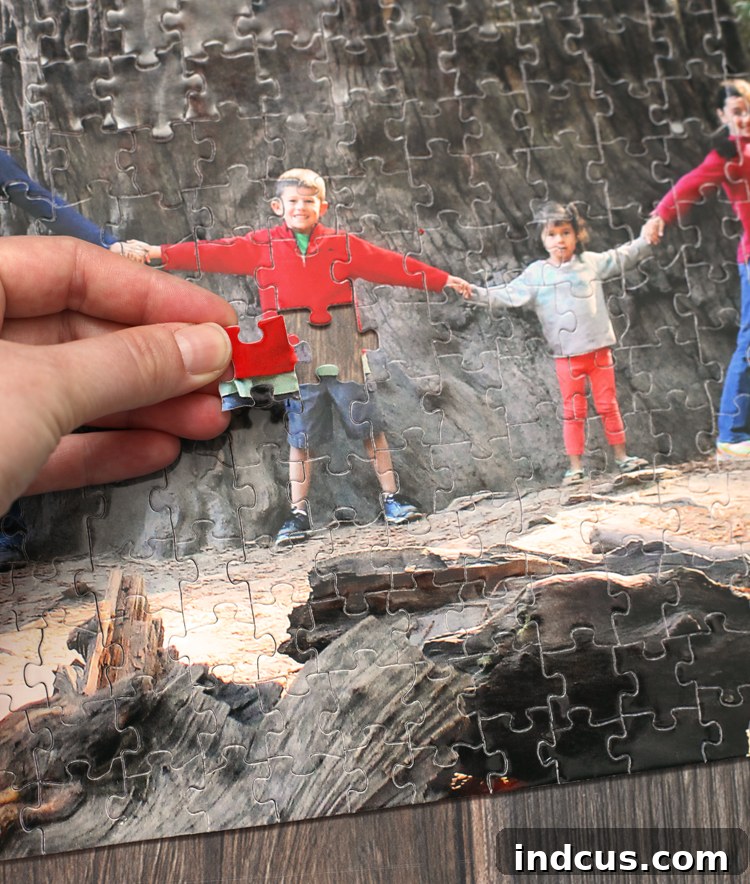
Transform Cherished Vacation Photos into a Unique, Personalized Puzzle: A Lasting Family Souvenir
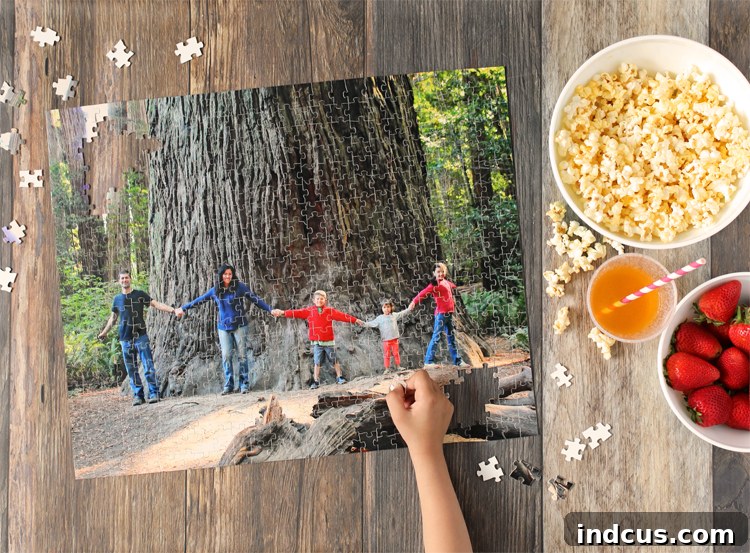
In an age where digital photos often get lost in cloud storage or on endless camera rolls, there’s something truly special about bringing a cherished memory into the physical world. Imagine taking one of your most beloved vacation photos – a snapshot brimming with joy, adventure, and family connection – and transforming it into a high-quality, custom puzzle. This isn’t just a craft project; it’s an opportunity to create a tangible heirloom, a unique souvenir that the entire family can enjoy assembling repeatedly, sparking conversations and reliving those precious moments. I recently embarked on this creative endeavor, converting one of our family’s favorite vacation pictures into a puzzle, and the experience has been incredibly rewarding. Our children particularly love it, as it serves as a wonderful, interactive way to revisit our trip and remember all the fun we had. You might be surprised at just how straightforward and quick this process is, especially when utilizing user-friendly software like Adobe Photoshop Elements. From cropping and fine-tuning the image to effortlessly sending it off for puzzle creation, the entire workflow can be managed seamlessly within the Photoshop Elements interface. Just a few days after placing the order, our beautifully crafted personalized puzzle arrived right at our doorstep, ready for hours of family fun.
Throughout this comprehensive guide, I will walk you through every step of this exciting process, providing detailed instructions and helpful tips to ensure your custom photo puzzle turns out perfectly. However, if you prefer a visual demonstration, a full video tutorial is also available further down this post, offering a dynamic overview of each stage. So, whether you’re a seasoned photo editor or a complete novice, get ready to dive into a creative project that promises to bring smiles, foster family bonding, and immortalize your favorite memories in a truly unique way.
If you don’t yet have Adobe Photoshop Elements 2019 or a later version, you can easily download a free trial to get started. This allows you to explore its powerful yet intuitive features without any commitment, making it the perfect opportunity to try your hand at creating your own personalized photo puzzle.
Why Create a Personalized Photo Puzzle? More Than Just a Game
Beyond being a fun activity, a custom photo puzzle offers a multitude of benefits that make it an unparalleled keepsake or gift.
- Preserve Cherished Memories: In an increasingly digital world, a physical puzzle brings your favorite photos to life in a unique and interactive format, preventing them from being forgotten in a digital album. It’s a constant reminder of special moments.
- Unrivaled Family Bonding: Assembling a puzzle together is a fantastic screen-free activity that encourages teamwork, communication, and shared laughter. It creates new memories while reminiscing about old ones.
- Unique Gift Idea: Looking for a thoughtful, personalized present for birthdays, anniversaries, holidays, or just because? A custom photo puzzle featuring a special memory is a gift that truly speaks volumes and shows how much you care.
- Engaging and Educational for Children: Puzzles are excellent for developing problem-solving skills, fine motor coordination, spatial reasoning, and patience in children of all ages. When it’s a picture they recognize, it adds an extra layer of engagement.
- Decorative Keepsake: Once completed, your custom puzzle can be glued and framed, turning it into a beautiful piece of personalized wall art that tells a story and adds a unique touch to your home decor.
- Mindful Entertainment: Puzzling can be a relaxing and meditative activity, offering a calming escape from daily stresses and a chance to focus on a single, rewarding task.
Choosing the Perfect Photo for Your Puzzle
The key to a truly stunning and enjoyable custom photo puzzle begins with selecting the right photograph. Not all pictures are created equal when it comes to puzzle-making. Here are some expert tips to guide your choice:
- High Resolution is Key: Always opt for the highest resolution image possible. This ensures that when the photo is enlarged for the puzzle, it remains sharp, clear, and vibrant, without any pixelation or blurriness.
- Good Lighting and Clarity: Photos with clear subjects, good contrast, and even lighting tend to make the best puzzles. Avoid overly dark or grainy images, as these can be difficult to piece together and might lose their visual appeal.
- Interesting Composition with Distinct Areas: While my redwood tree bark puzzle proved challenging (and fun!), photos with a variety of colors, textures, and distinct subjects or areas are generally easier and more satisfying to assemble. Landscapes with clear sky, water, and land features, or portraits with varying backgrounds, work wonderfully. Avoid photos with large, uniform areas of a single color or texture if you prefer an easier challenge.
- Meaningful Memories: Ultimately, choose a photo that holds significant meaning for you and your family – a beloved vacation spot, a memorable family gathering, or a snapshot of a special occasion. The emotional connection will enhance the puzzle-solving experience.
- Consider the Puzzle Size: Think about the final puzzle size you intend to order. A very detailed photo might work better on a larger puzzle with more pieces, allowing those details to shine through.
How to Make A Photo Puzzle Using Adobe Photoshop Elements: A Step-by-Step Guide
Adobe Photoshop Elements is renowned for its user-friendly interface and powerful editing capabilities, making it the ideal tool for anyone looking to refine their photos before turning them into personalized products. It offers a fantastic balance of professional features and beginner-friendly guidance, ensuring that even those new to photo editing can achieve impressive results. Let’s delve into the steps.
Step 1: Preparing Your Photo for Puzzle Perfection in Photoshop Elements
Begin by opening the photo you’ve selected in Adobe Photoshop Elements. Once your image is loaded, navigate to the top of the screen and click on the “Quick” button. This mode is a fantastic starting point, especially for beginners, as it provides a streamlined interface with intuitive tools for common photo enhancements. It’s designed to help you make impactful edits quickly and efficiently, ensuring your photo looks its absolute best before it becomes a puzzle.
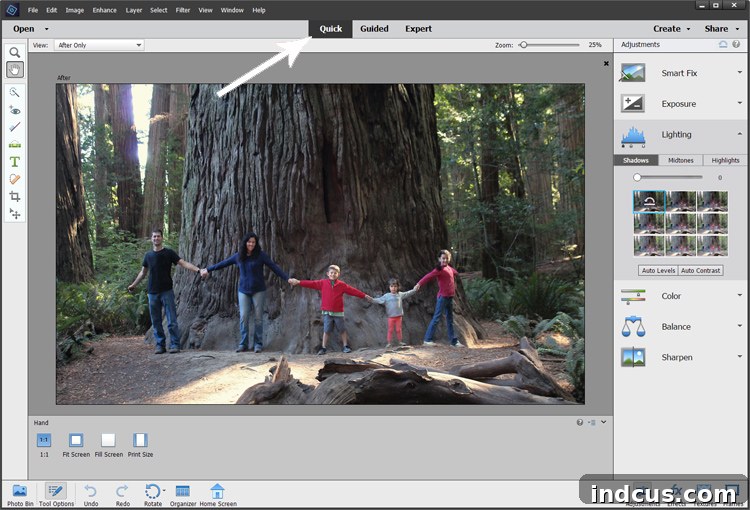
Upon entering the “Quick” tab, you’ll notice a series of helpful tabs on the right-hand side of the screen. These tabs are your guide to enhancing your treasured family photo, allowing you to fine-tune various aspects to achieve optimal visual appeal. The beauty of Photoshop Elements lies in its simplicity; you can easily experiment with different effects and adjustments. Simply hover over the small preview pictures to see instant changes, or smoothly move the sliders from side to side to subtly (or dramatically) alter elements like exposure, contrast, color temperature, and saturation. Don’t be afraid to play around – Photoshop Elements makes it incredibly easy to undo any changes you’re not happy with, giving you the freedom to explore and perfect your image without stress.
During my own editing process for the Redwood puzzle, I focused on several key adjustments to bring out the best in the image:
- Brightness/Exposure: I brightened the overall image to ensure all details were visible and to give it a more vibrant feel.
- Saturation: I gently increased the saturation to make the natural greens of the trees and the subtle hues of the forest pop, making the colors richer and more lifelike.
- Temperature: I warmed up the color temperature slightly, which added a cozy, inviting glow to the scene, enhancing the feeling of a sun-dappled forest.
- Sharpening: Finally, I applied a touch of sharpening to enhance the fine details, ensuring the texture of the tree bark and the foliage was crisp and clear – crucial for a visually engaging puzzle.
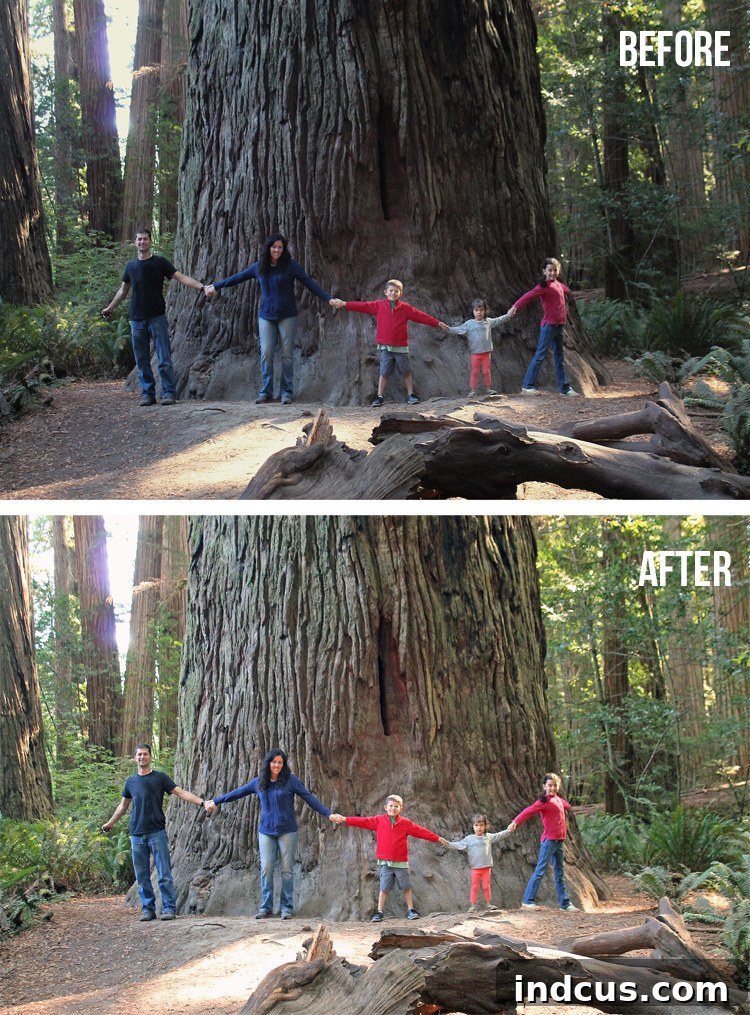
The difference after these simple edits was remarkable! Doesn’t it look so much more captivating and vibrant with just a bit of refinement? A well-edited photo not only looks better but also makes for a more appealing and enjoyable puzzle. Taking these few moments to enhance your image ensures that your final custom photo puzzle will be a true work of art, reflecting the beauty and emotion of the original memory with enhanced clarity and color.
Step 2: Effortlessly Ordering Your Custom Photo Puzzle
Once your photo is perfectly edited and ready, ordering your custom photo puzzle through Adobe Photoshop Elements 2019 (or later versions) is incredibly simple and streamlined. This integration means you don’t have to export your photo, open a web browser, and then upload it separately; everything is managed from within the software, saving you time and hassle.
To initiate the order, simply navigate to the main menu at the top of the Photoshop Elements window. Click on “File,” then hover over “Order Prints,” and finally, select “FUJIFILM Prints and Gifts.” This direct link takes you to a trusted printing service renowned for its quality photo products, ensuring your puzzle will be professionally produced to the highest standards.
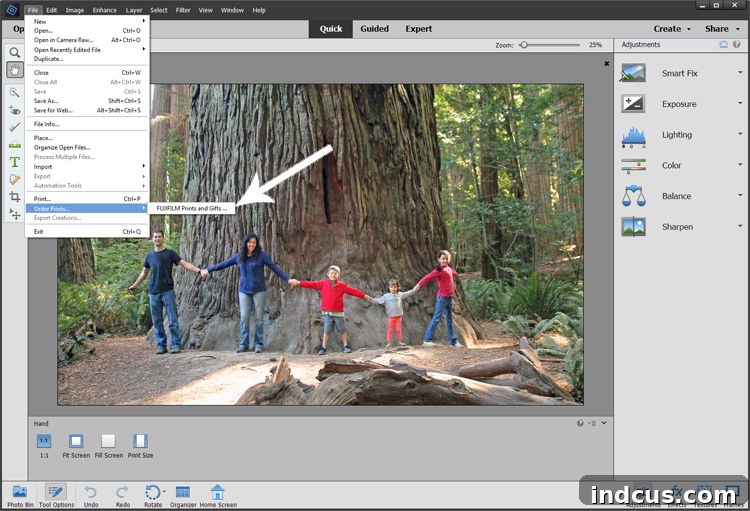
After selecting the FUJIFILM option, a new window will open, guiding you through the ordering process. Follow the intuitive on-screen instructions, which will lead you directly to the FUJIFILM storefront designed for Photoshop Elements users. Once you arrive at the FUJIFILM website, look for the “Home and Office” icon, which typically categorizes personalized gifts for various settings. Click on this, and you’ll then find a dedicated “Puzzle” icon.
From here, you’ll be presented with various options to customize your puzzle. You can choose the desired size – popular options include 8×10, 11×14, 16×20 inches, and even larger formats – and select the style of puzzle, which often includes different piece counts (e.g., 250 pieces, 500 pieces, 1000 pieces). Consider the age of the intended puzzlers and the desired level of challenge when making your selection. For our family, I opted for the 16×20 inch premium photo puzzle, which offered a substantial size and excellent print quality, perfect for our vibrant vacation photo. The premium option often implies higher quality materials, better print fidelity, and a more durable finish, ensuring your puzzle lasts for years of enjoyment. Complete your order by reviewing the details and proceeding with payment and shipping information. The entire process is designed for convenience, bringing your creative vision to life with just a few clicks.
The Joy of Assembly: Bringing Memories to Life, Piece by Piece
The anticipation of waiting for our custom photo puzzle to arrive in the mail was almost as exciting as the vacation itself! When the package finally landed on our doorstep, the whole family gathered around with palpable excitement. We wasted no time ripping open the box, eager to see our vacation memory transformed. Within minutes, the living room floor was covered with vibrant puzzle pieces, and we eagerly started the collaborative process of putting our picture back together.
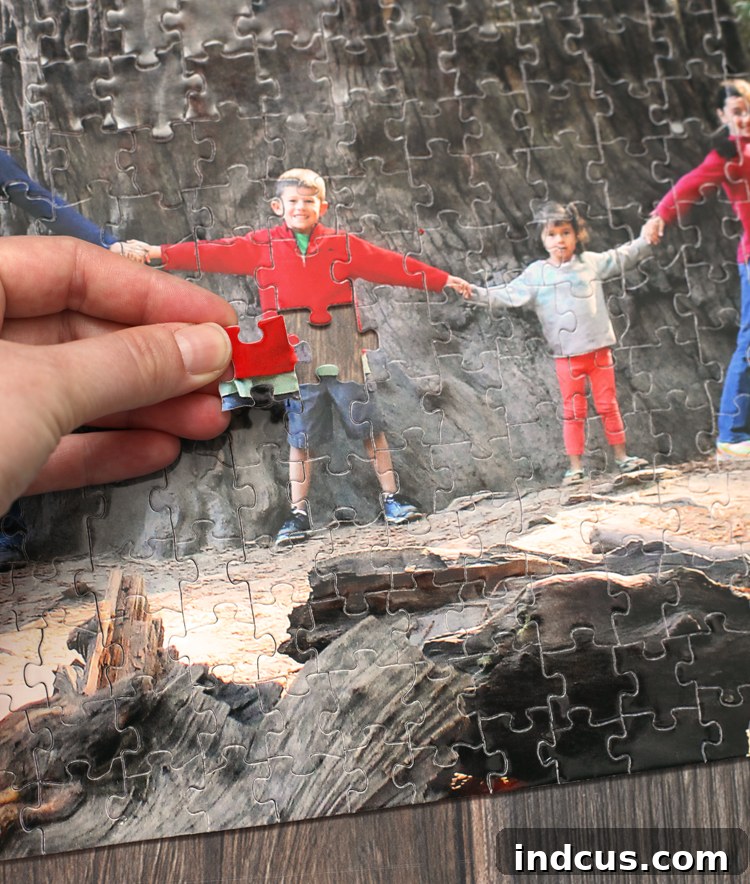
I’ll admit, the specific photo we chose – a beautiful, dense shot of the Redwood forest with its intricate bark patterns – made for a surprisingly challenging puzzle! There was a lot of similar-looking tree bark, which required keen observation and careful deliberation from everyone. It stretched our patience and problem-solving skills, but in the best possible way. This unexpected difficulty only added to the fun and the sense of accomplishment. It was a wonderful lesson in photo selection for future puzzles, encouraging us to consider images with more varied textures and colors for an easier solve.
Despite the intricate bark, we all worked together, combining our efforts and cheering each other on. Each successful connection brought us closer to completing our magnificent memory. The process was a fantastic reminder of teamwork and perseverance, and eventually, after many focused hours and lively discussions, our custom vacation photo puzzle was triumphantly completed.
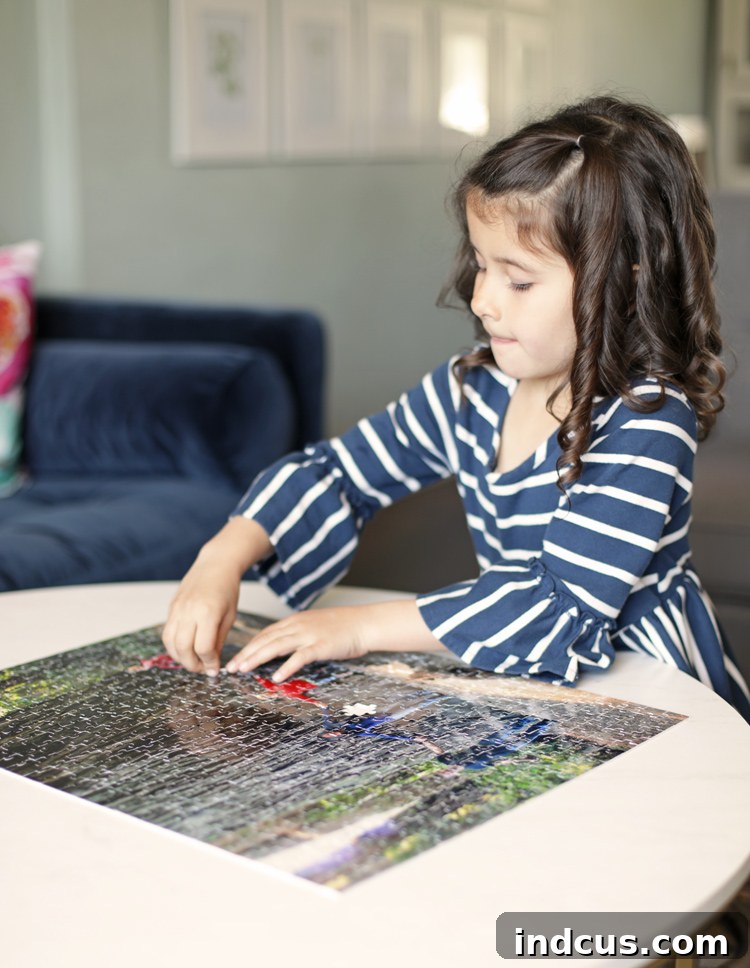
The most rewarding aspect of working on this puzzle together wasn’t just the satisfaction of seeing the completed image; it was the rich conversations it sparked. As we sorted pieces and fit them into place, we naturally fell into reminiscing about our incredible Redwoods vacation. We talked about the towering trees, the exhilarating hikes, the playful adventures we shared as a family, and all the small, precious moments that make a trip unforgettable. It truly transformed a static photograph into an interactive storytelling experience, reinforcing our bond and cementing those memories even deeper. This personalized puzzle has become more than just a game; it’s a cherished artifact, a dynamic narrative of our family’s adventures.
Beyond the Build: What to Do with Your Completed Photo Puzzle
Once you’ve conquered your custom photo puzzle, the fun doesn’t have to end! Here are a few ideas to keep enjoying your personalized masterpiece:
- Frame It: This is a popular choice! Many craft stores sell puzzle glue and frames specifically designed for standard puzzle sizes. Gluing and framing your completed puzzle turns it into a unique piece of wall art, a constant reminder of your cherished memory and the accomplishment of putting it together. It adds a wonderfully personal touch to any room.
- Disassemble and Re-do: For some, the joy is in the process. Carefully take the puzzle apart and store it back in its box. You can then pull it out for another family game night, or even challenge friends and extended family to try it on their next visit.
- Gift It: If you made the puzzle as a gift for someone else, or if you’ve already framed one for yourself, consider gifting the completed (or disassembled) puzzle to another family member who shares the memory. It makes for a truly heartfelt and unique present.
- Rotate Your Display: If you enjoy making multiple custom puzzles, consider having a rotating display in your home. This allows you to showcase different memories throughout the year, keeping your decor fresh and meaningful.
The versatility of Adobe Photoshop Elements extends far beyond just puzzles. Once you get comfortable with the software, you can easily create a wide array of other personalized photo products and gifts, such as custom calendars, greeting cards, photo books, mugs, phone cases, and more. It’s a powerful tool for transforming your digital images into tangible keepsakes that celebrate life’s special moments.
Photoshop Elements Photo Puzzle Video Tutorial
For those who learn best by watching, this video tutorial provides a comprehensive visual walkthrough of the entire process, from opening your photo in Photoshop Elements to placing your order for a custom photo puzzle. It’s the perfect companion to this written guide, offering clear demonstrations of each step to ensure your success.
Creating a personalized photo puzzle is a remarkably rewarding experience that combines creativity, family fun, and the preservation of precious memories. With the intuitive tools in Adobe Photoshop Elements and the seamless ordering process, you can transform your favorite vacation photos into a unique, lasting souvenir that will be treasured for years to come. Dive in and start building your own memory puzzle today!
This post is brought to you in partnership with Adobe Photoshop Elements. All opinions, creative ideas, and experiences shared are genuinely my own.