Craft Your Own Charming Lemonade Drink Tray with Adhesive Vinyl: A Summer DIY Essential
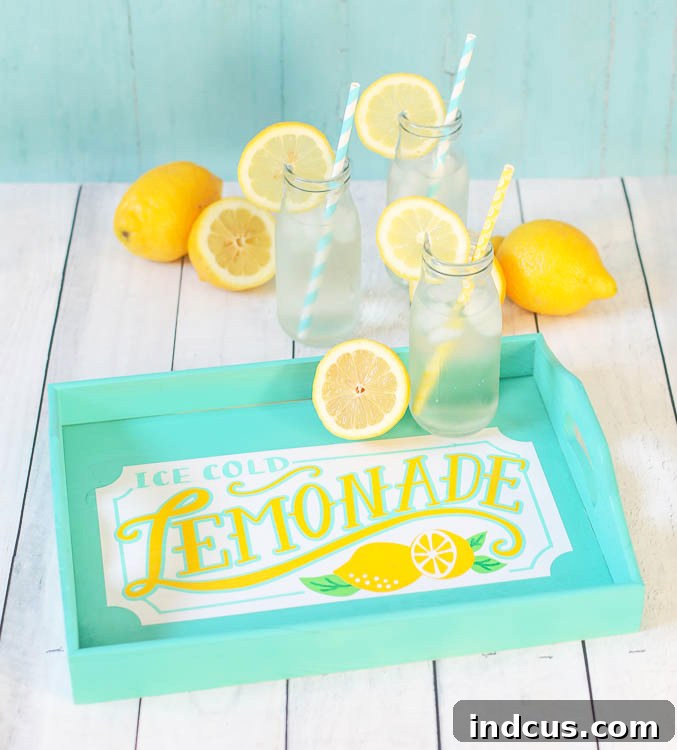
As the days grow longer and the sun shines brighter, there’s nothing quite like the refreshing taste of ice-cold lemonade to beat the summer heat. Whether you’re hosting a backyard barbecue, enjoying a quiet evening on the patio, or simply serving drinks to your family, a custom-made serving tray can elevate the experience from ordinary to extraordinary. This delightful DIY project allows you to craft a personalized lemonade drink tray using the incredible versatility of adhesive vinyl, adding a touch of handmade charm and vibrant color to your summer gatherings.
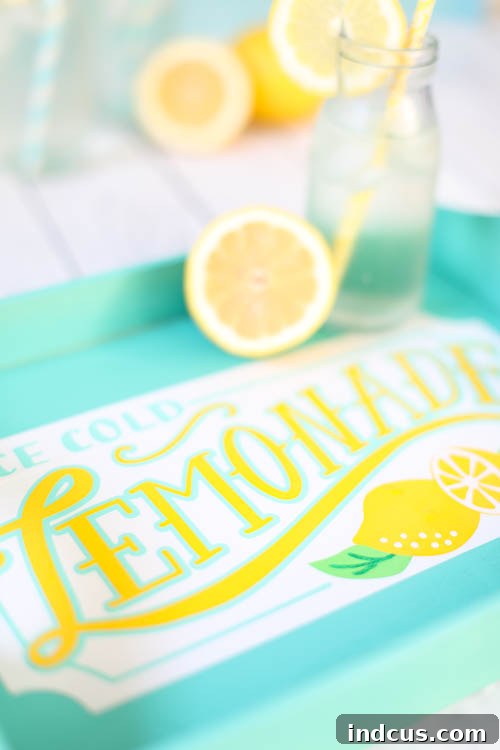
Imagine effortlessly bringing out a tray of freshly squeezed lemonade, adorned with a playful and inviting design that perfectly captures the spirit of the season. No more plain, uninspired trays; with a little creativity and the right tools, you can create a functional piece of decor that’s as charming as it is useful. This tutorial will guide you through making an adorable lemonade drink tray, transforming a simple wooden base into a cheerful serving accessory that will be the envy of all your guests.
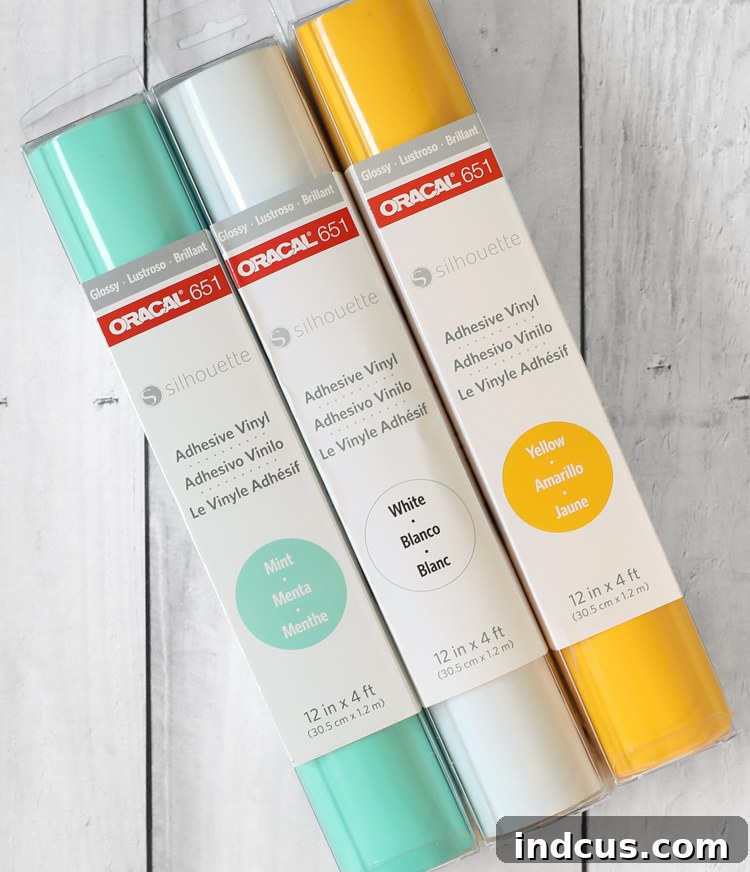
We’ll be utilizing tried-and-true adhesive vinyl from Oracal, renowned for its durability and ease of use, making this project accessible even for those new to crafting with vinyl. This post is proudly sponsored by Silhouette, a brand synonymous with innovative crafting technology that empowers makers to bring their visions to life. Thanks to an exciting collaboration, you can now find the high-quality Oracal vinyl you know and love conveniently located in the Silhouette section at your local Joann store, making it easier than ever to gather your supplies and start creating!
Why a Custom Lemonade Tray is Your Summer Must-Have
Beyond its aesthetic appeal, a custom-made lemonade tray serves multiple purposes. It provides a convenient way to transport multiple drinks, snacks, or even picnic essentials from your kitchen to your outdoor entertaining space. More importantly, it adds a unique, personalized touch to your home decor. A handmade tray reflects your personality and passion for crafting, instantly making your home feel more welcoming and lived-in. For summer, a lemonade-themed tray perfectly embodies the season’s lighthearted, refreshing vibe, making every pour feel a little more special. It’s not just a tray; it’s a statement piece that celebrates the joys of summer.
Essential Materials for Your DIY Lemonade Tray
Before diving into the creative process, gathering all your materials is crucial. Ensuring you have everything on hand will make your crafting experience smooth and enjoyable. Here’s what you’ll need to create your very own charming lemonade drink tray:
- Oracal 651 Adhesive Vinyl: This premium permanent outdoor vinyl is perfect for projects that require durability and a lasting finish. Its vibrant colors and excellent adhesive properties ensure your design stays put. Look for it now in the Silhouette section at Joann Stores, available in a wide array of hues to match your chosen design.
- Lemonade Sign Cut File: This specific digital design file is essential for achieving the iconic lemonade look. It’s available for purchase and download from the Silhouette Design Store, designed to be perfectly compatible with your Silhouette cutting machine.
- Unfinished Wooden Serving Tray: The blank canvas for your masterpiece. An unfinished wood tray provides a smooth, paintable surface that will beautifully complement your vinyl design. You can find various sizes and styles at craft stores like Joann, allowing you to choose one that fits your needs.
- Craft Paint (Optional but Recommended): While the vinyl itself brings color, a base coat of craft paint on your wooden tray can add an extra layer of personalization and protection. Choose a color that enhances your vinyl design – perhaps a bright yellow, a soft white, or a coordinating pastel shade.
- Silhouette Cutting Machine: (e.g., Silhouette Cameo, Portrait) The heart of this project, enabling you to precisely cut intricate designs from your adhesive vinyl.
- Cutting Mat: For holding your vinyl securely in place during the cutting process.
- Weeding Tools: Essential for removing excess vinyl from your cut design.
- Transfer Tape: Crucial for transferring your intricate vinyl design from its backing paper to the tray cleanly and accurately.
- Scraper Tool or Credit Card: To smooth down vinyl and transfer tape, removing air bubbles.
Step 1: Preparing Your Design in Silhouette Studio
The journey to your custom lemonade tray begins with preparing your design within the Silhouette Studio software. This powerful program allows you to manipulate and prepare your chosen cut file for precise cutting. Start by purchasing the “Lemonade Sign Cut File” from the Silhouette Design Store. Once purchased, the file should automatically load into your Silhouette Studio library, making it easily accessible for your project. If it doesn’t appear immediately, you can usually find it under the “Library” tab.
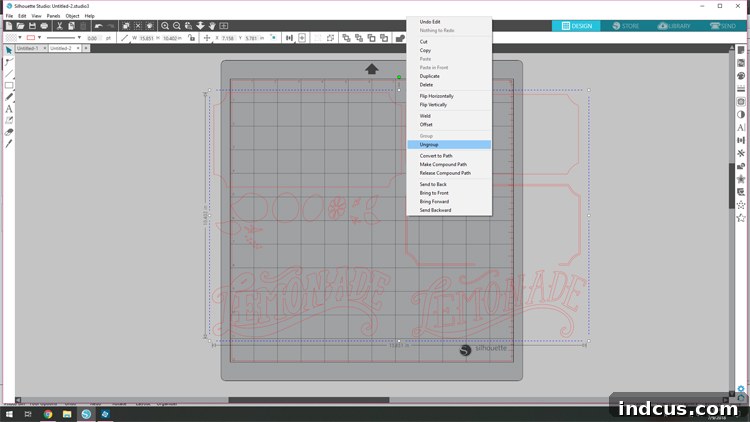
Open the file within Silhouette Studio. You’ll notice the design is likely grouped as one complete image. For layering and individual color cutting, it’s essential to separate these components. Right-click over the entire image and select “ungroup.” This action breaks the design into its individual shapes and layers, such as the background, the text, and any decorative elements. Ungrouping gives you the freedom to move, resize, and assign different colors to each component, which is vital for a multi-layered vinyl project. Take a moment to inspect each part and ensure it’s separated correctly.
Pro Tip: Before proceeding, consider the size of your wooden tray. You may need to resize the entire “Lemonade” design to ensure it fits perfectly within the tray’s dimensions. Select all ungrouped elements and then drag one of the corner handles to adjust the size proportionally. Always measure your tray and double-check your design’s dimensions within Silhouette Studio to avoid any sizing mishaps later on.
Step 2: Visualizing Your Design with Color
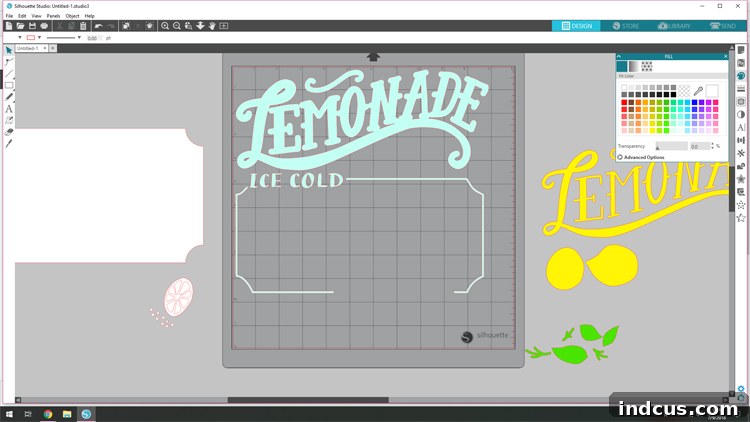
This step, while optional, is incredibly helpful for visualizing your final project and streamlining the cutting process. Within Silhouette Studio, you have the capability to virtually color your design layers. This allows you to experiment with different color combinations and decide which parts of the design should be cut from which color of vinyl before you even touch a roll of material. It’s like a digital dress rehearsal for your craft project!
To do this, locate and click on the “Fill Color” panel icon in the top toolbar (it usually looks like a paint palette). Once the panel opens on the right-hand side of your screen, simply select a part of your design on the canvas and then click on a color from the color swatches provided in the panel. Repeat this for all elements of your design, assigning the colors you intend to use for your vinyl. This visual representation serves as an excellent guide, helping you ensure that your chosen vinyl colors will create the harmonious look you envision for your lemonade tray.
Beyond aesthetics, coloring your design layers in Studio also has a practical benefit. It helps you organize your cutting process. By grouping elements of the same virtual color together on your digital mat, you can easily tell which pieces need to be cut from the same physical sheet of vinyl. This minimizes waste and makes the subsequent steps of arranging and cutting much more efficient, preventing errors and saving you time and material.
Step 3: Precision Cutting Your Vinyl with Silhouette
With your design finalized and colored, it’s time for the exciting part: cutting your adhesive vinyl! This step requires careful arrangement and precise machine settings to achieve clean, crisp cuts.
First, arrange the design pieces that share the same color onto the cutting mat area within Silhouette Studio. Any designs you don’t want to cut in the current run should be moved off the virtual cutting mat into the gray background area. Your Silhouette machine will only “see” and cut the designs positioned on the mat. This method ensures you cut one color of vinyl at a time, preventing confusion and maximizing material use.
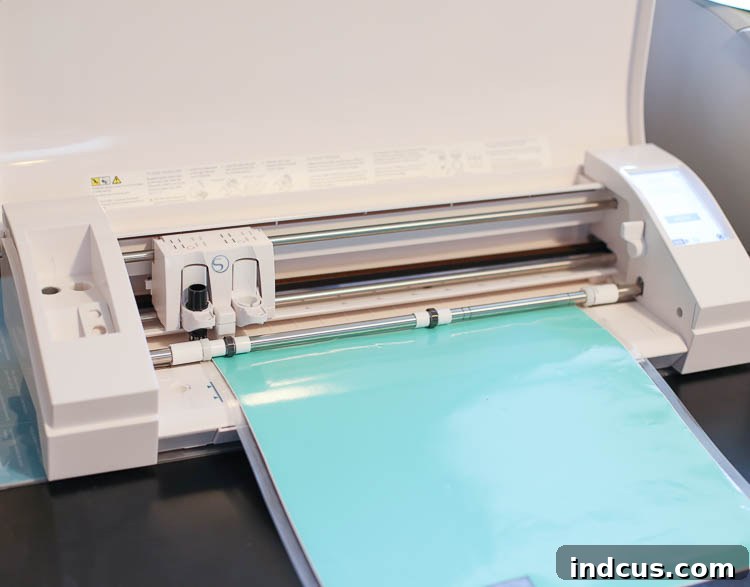
Next, prepare your physical vinyl. Take a sheet of the first color of Oracal 651 adhesive vinyl and carefully stick it onto your cutting mat, color side up. Ensure it’s smooth and free of air bubbles for an even cut. Load the cutting mat into your Silhouette machine.
Before sending your design to cut, it’s crucial to adjust your cut settings. For Oracal 651 glossy vinyl, recommended settings typically include a blade depth of 2-3, a force of 10-15, and a speed of 5-8. However, these can vary slightly based on your specific machine and blade wear. It’s always a good idea to perform a small test cut on a scrap piece of your vinyl to ensure the settings are perfect before committing to your main design. Once the settings are confirmed, click “Send” to begin cutting. Repeat this process for each color of vinyl until all your design elements are cut.
Step 4: The Art of Weeding Your Vinyl Designs
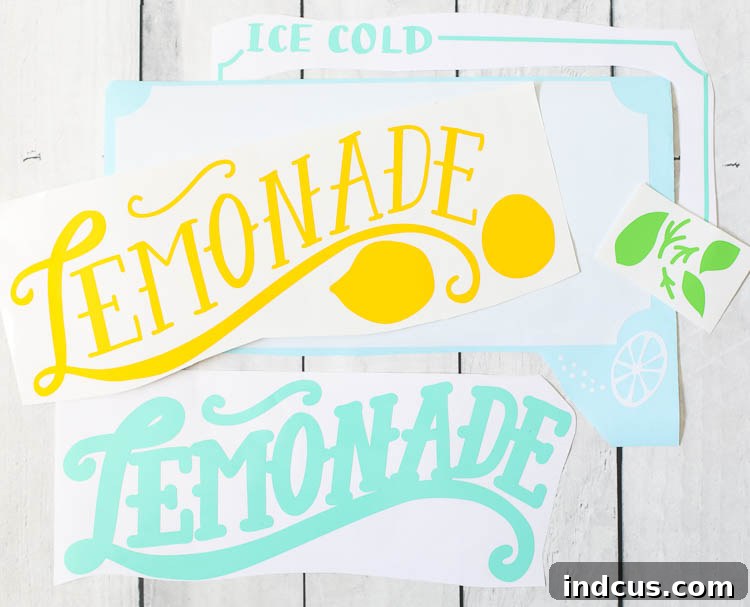
After your Silhouette machine has finished cutting, the next step is weeding – a process that transforms a sheet of cut vinyl into your actual design. Weeding involves carefully removing all the excess vinyl that is not part of your desired design, leaving only the intricate shapes and letters you intend to apply to your tray on the backing paper. This step requires a bit of patience and a steady hand, especially for detailed designs.
Start by peeling away the large surrounding areas of vinyl from your design. You can use your weeding tool (a hook or a pointy pick works best) to gently lift a corner of the excess vinyl and then slowly pull it away. Work carefully to ensure you don’t accidentally lift any parts of your actual design. Once the main excess vinyl is removed, focus on the smaller, internal pieces – for example, the centers of letters like ‘o’, ‘a’, ‘e’, or any tiny decorative elements. Use your weeding tool to pick out these small pieces with precision.
Good lighting is your friend during this step. It helps highlight the cut lines, making it easier to distinguish between the design and the waste vinyl. Take your time, and if a piece feels stubborn, try approaching it from a different angle. The goal is a clean, crisp design ready for transfer. The quality of Oracal 651 vinyl makes weeding smoother as it typically adheres well to its backing while allowing excess pieces to lift away cleanly.
Step 5: Applying Your Vinyl Design to the Tray
This is where your design truly comes to life on the wooden tray! The application process involves using transfer tape to move your weeded vinyl designs from their backing onto the tray surface. If you’ve chosen to paint your wooden tray, ensure the paint is completely dry and cured before applying vinyl.
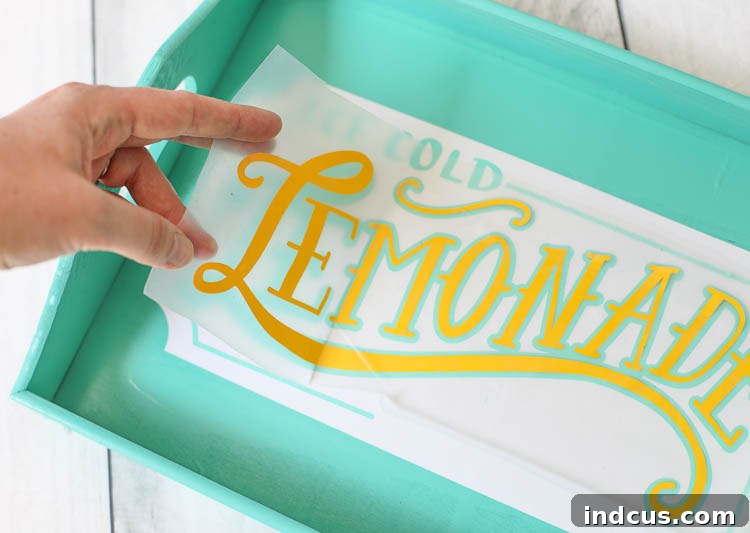
First, carefully cut each separate weeded design piece apart. This allows you to apply each color or layer individually. Take a piece of transfer tape that is slightly larger than your vinyl design. Lay the transfer tape sticky-side down over the front of your vinyl design. Using a scraper tool or a credit card, firmly rub over the transfer tape from the center outwards. This helps the vinyl adhere to the transfer tape and removes any air bubbles. Once smoothed, slowly peel the transfer tape (with the vinyl design attached) away from the vinyl’s backing paper. The vinyl design should now be stuck to the transfer tape.
Now, it’s time to apply it to your tray. For a multi-layered design like this lemonade sign, applying in a specific order is key to perfect alignment. I started with the white background layer first, as it forms the base. Carefully position the transfer tape with the white vinyl onto your tray, ensuring it’s centered and straight. Once satisfied with the placement, press down firmly, starting from the center and working your way out to avoid bubbles. Use your scraper tool to rub over the transfer tape one last time. Then, slowly peel back the transfer tape at a sharp angle, leaving the white vinyl design adhered to the tray.
Continue this process for each subsequent layer: the blue line, then the blue outline, and finally, the yellow text. Each time, carefully line up the new layer over the previous one. Take your time with alignment; precision here will result in a professional-looking finish. The transparent nature of most transfer tapes allows you to see through to the layers beneath, aiding in accurate placement.
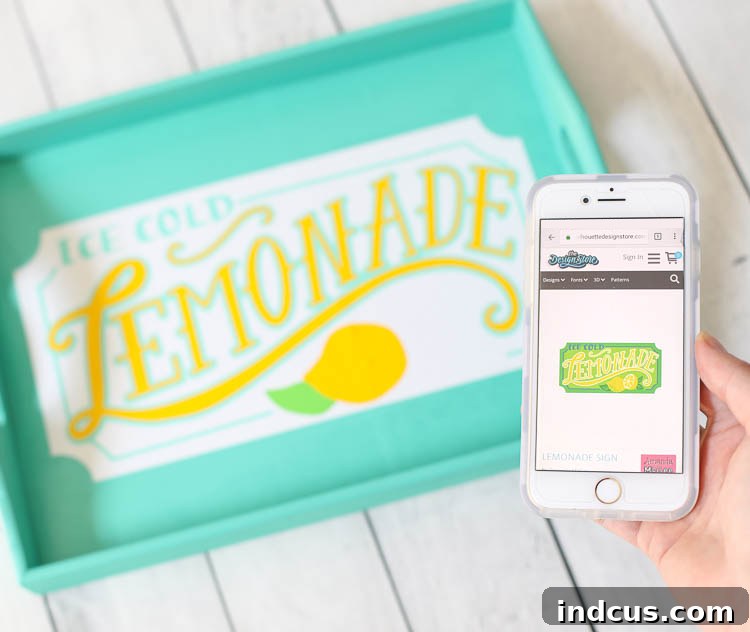
Pro Tip for Multi-Layer Designs: If you’re struggling to remember the exact arrangement of a complex design with many pieces, pull up a picture of the original design from the Silhouette Design Store on your phone or computer. Having a visual reference makes it incredibly easy to ensure each piece goes in its correct place and that your layers align perfectly, saving you frustration and potential rework. This simple trick can make a big difference in achieving a flawless finish!
Your Custom Summer Tray Awaits!
And just like that, with a few simple steps and the magic of adhesive vinyl, you’ve transformed an ordinary wooden tray into a charming, custom, and summery lemonade drink tray! The process of creating something with your own hands is incredibly rewarding, and the finished product is not only functional but also a beautiful reflection of your personal style and creativity. This project is a fantastic way to personalize your home decor, making everyday moments feel a little more special and festive.
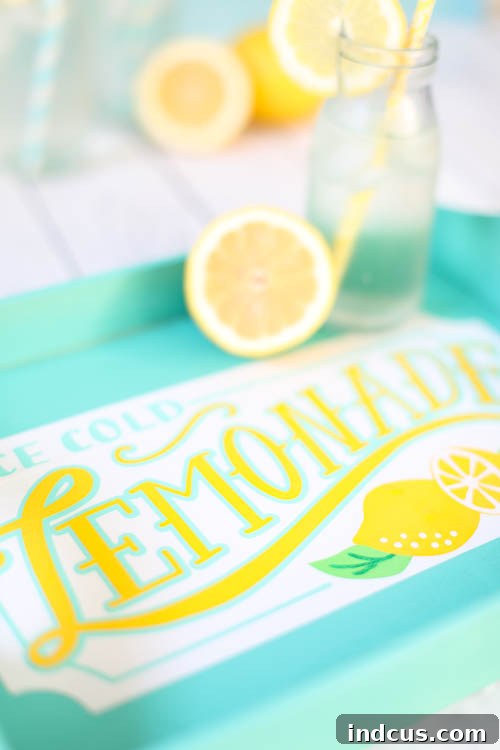
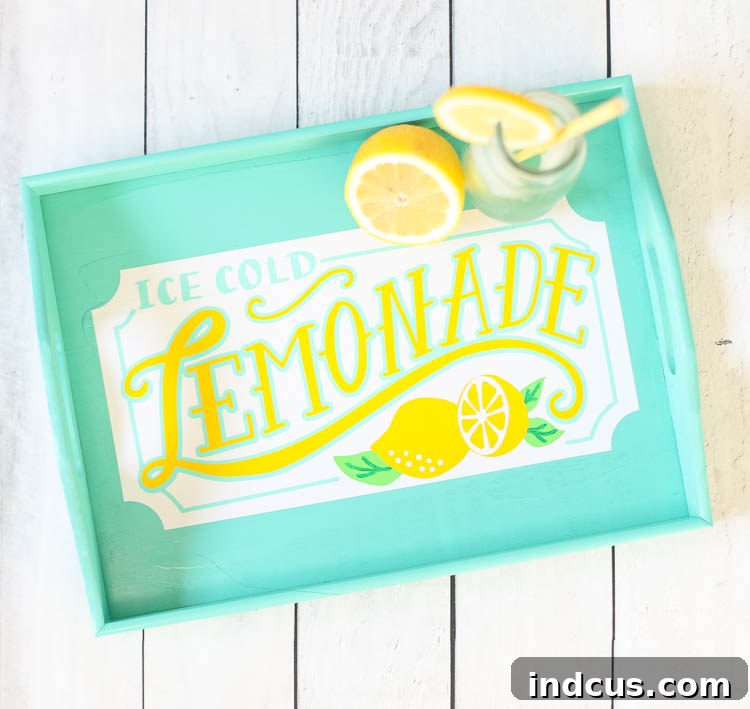
I absolutely adore the cheerful colors and the vintage poster look of the “Lemonade” lettering on this tray. The combination of crisp white, refreshing blue, and sunny yellow instantly evokes the feeling of a warm summer day. It’s truly just the thing to add a bit of extra fun and flair to our summer evenings, whether we’re sipping lemonade with friends on the porch or enjoying a quiet moment with family. This tray serves as a delightful reminder of sunny days and sweet memories, making every drink served feel like a celebration.
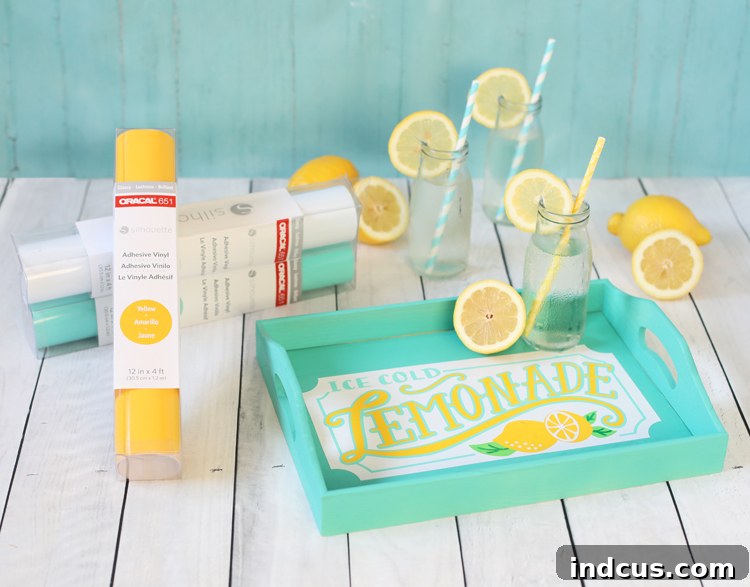
The convenience of finding high-quality Oracal 651 adhesive vinyl in the Silhouette section at Joann stores is truly a game-changer for crafters. It means quick access to reliable materials, ensuring that when inspiration strikes (or a crafting emergency arises and you need vinyl ASAP!), your projects won’t be delayed. This accessibility makes it easier than ever to dive into DIY home decor and create beautiful, lasting pieces like this lemonade drink tray.
So, gather your supplies, fire up your Silhouette machine, and embark on this delightful crafting journey. Your homemade lemonade drink tray won’t just serve drinks; it will serve smiles, add warmth to your gatherings, and become a cherished symbol of summer fun. Happy crafting!