Unleash Your Creativity: Master 3D Paper Bows with Your Silhouette Portrait 3 (Free Cut Files Included!)
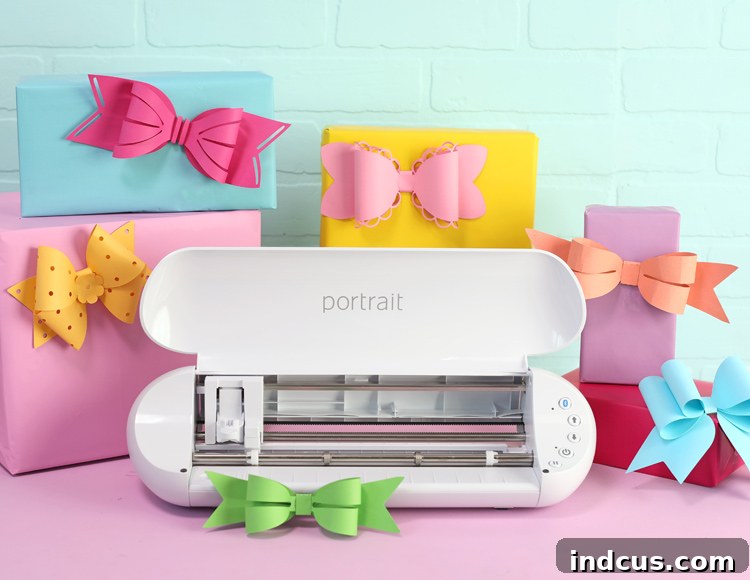
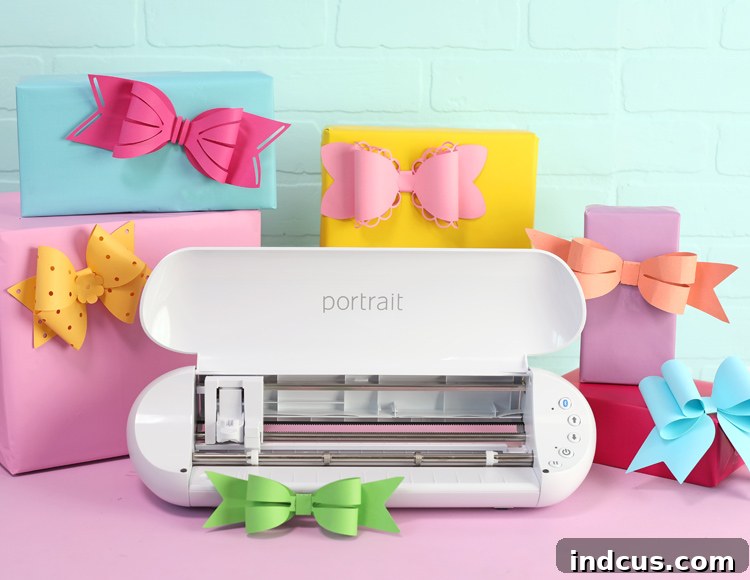
Today marks an exciting milestone in the crafting world! Silhouette has just unveiled its newly updated Silhouette Portrait 3 cutting machine, and to celebrate this fantastic launch, we’re diving into a delightful craft project: creating charming 3D paper bows. Best of all, we’re providing you with complimentary cut files to get started immediately!
This post is sponsored by Silhouette America. All ideas and opinions are my own.
The Silhouette Portrait 3 is specifically engineered to be the ultimate companion for the casual crafter and hobbyist. If your passion lies in crafting with paper and vinyl, making custom stickers, or handling similar lightweight materials, this machine is perfectly suited for nearly every project you can imagine. Its compact footprint distinguishes it from its larger counterpart, the Cameo 4, with a cutting width limited to 8 inches. However, for most users who predominantly work with letter-sized paper or standard vinyl rolls, this size is incredibly convenient and efficient.
Beyond its ideal size, the Portrait 3 offers a significant advantage in terms of accessibility and affordability. It is not only more compact but also more budget-friendly than the Cameo 4, making it an excellent choice for those with limited space, such as apartment dwellers, or crafters who need to store their machine away easily in a cupboard. Its lightweight design ensures effortless portability, allowing you to move your creative hub wherever inspiration strikes. For aspiring crafters who have been hesitant to invest in a cutting machine due to cost, the Portrait 3 provides an accessible entry point into the world of precision cutting, allowing you to explore your creative potential without a substantial financial commitment.
Key Enhancements: What Makes the Portrait 3 Stand Out?
Compared to its predecessor, the Portrait 2, the Portrait 3 boasts three significant upgrades that enhance user experience and efficiency:
- Revolutionary Autoblade Integration: The new tool chamber is ingeniously designed to accommodate the innovative autoblade. This means the machine can automatically detect and adjust the blade settings based on the material you’re cutting, eliminating guesswork and saving valuable time. Say goodbye to manual adjustments and hello to seamless crafting!
- Automatic Tool Detection: This intelligent feature takes the hassle out of project setup. The Portrait 3 can automatically detect which tool you’ve loaded, further streamlining your workflow and ensuring you always use the correct settings for your project. This reduces errors and makes the crafting process smoother and more intuitive.
- Matless Pop-out Cutting Mode: One of the most exciting advancements is the new pop-out cutting mode, which allows for matless cutting of certain materials like paper and cardstock. This feature means less prep work, faster project turnaround, and the ability to cut directly from your material without needing a sticky mat, offering unparalleled convenience for repetitive cuts or large batches.
Furthermore, the Portrait 3 is equipped with integrated Bluetooth technology, empowering you to send projects directly to your machine wirelessly from your computer or mobile device. This untethered experience is incredibly convenient, offering greater flexibility in your crafting setup. It’s important to note, however, that the Portrait 3 does not support the new rotary blades or kraft blades that are compatible with the Cameo 4. If your primary crafting focus involves cutting fabric or thicker, specialty materials that require these specific blades, the Cameo 4 might be a more suitable option. For paper, vinyl, and sticker projects, the Portrait 3 remains an exceptional and powerful tool.
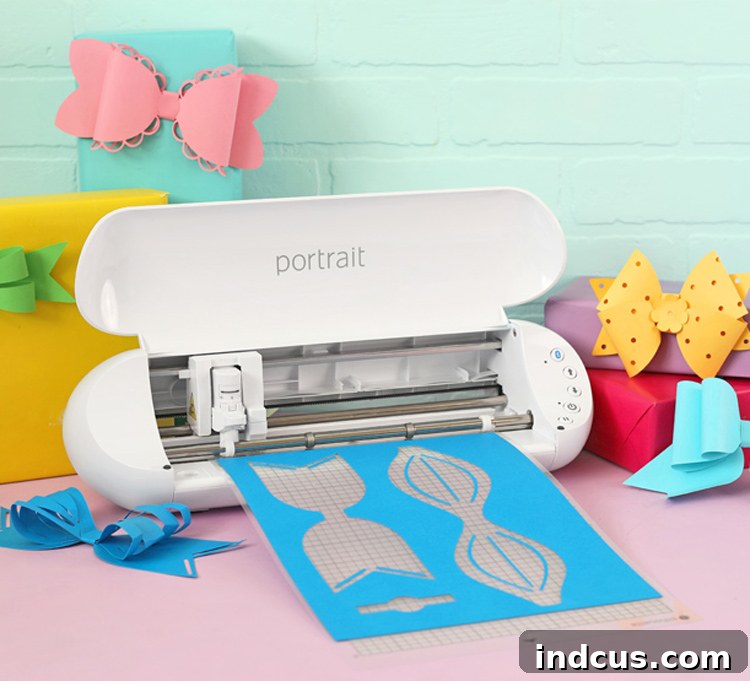
Get Ready to Craft: Your Guide to Adorable 3D Paper Bows
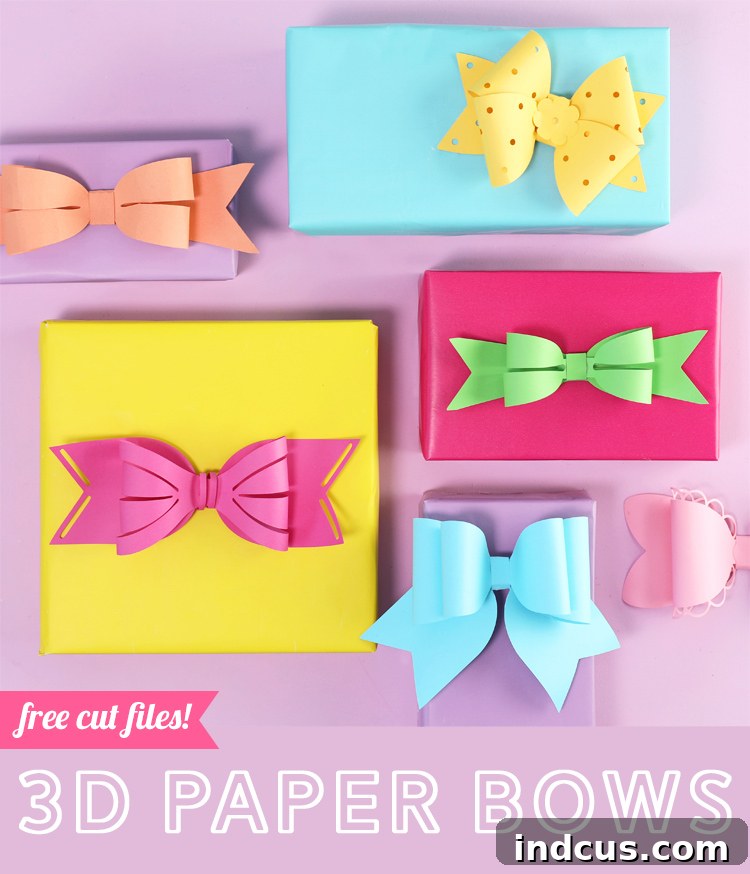
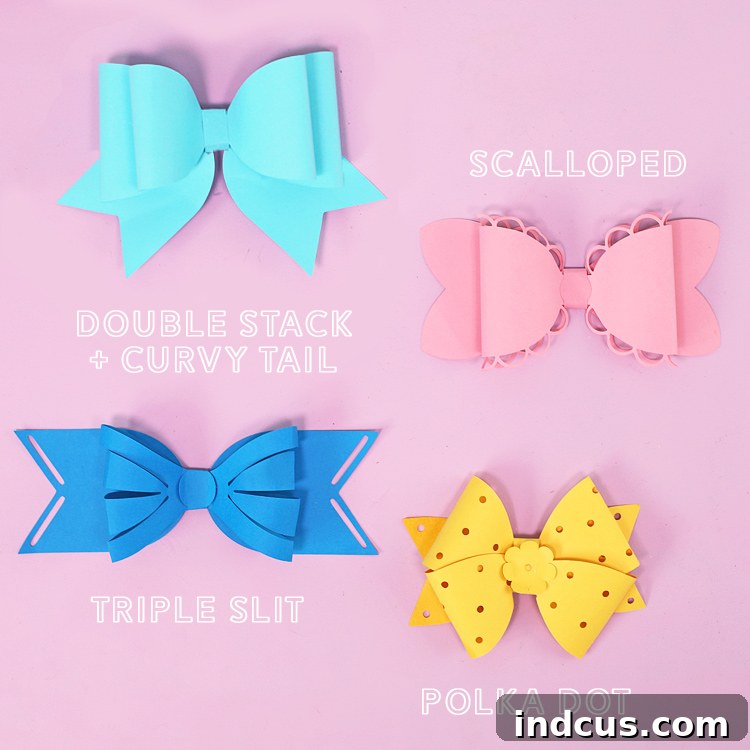
Enough about the machine; let’s talk about the delightful craft project we have in store for you today! We’re making 3D paper bows that are absolutely darling and incredibly versatile. I’ve personally designed four distinct bow patterns, and you can easily download these free SVG cut files at the very bottom of this post. These bows are perfect for adding a special touch to gifts, decorating party favors, embellishing cards, or even creating unique hair accessories.
Materials You’ll Need:
- Silhouette Portrait 3 Machine: Your precision cutting powerhouse.
- Colored Cardstock: Choose a variety of colors and patterns to bring your bows to life. A weight of 65-80lb (176-216gsm) is generally ideal for structural integrity without being too difficult to cut or fold.
- Hot Glue Gun & Glue Sticks: For quick and secure assembly. A fine-tip glue gun can be particularly helpful for precision.
- Silhouette Studio Software: To open, customize, and send your designs to the machine.
Step-by-Step Instructions for Crafting Your 3D Paper Bows:
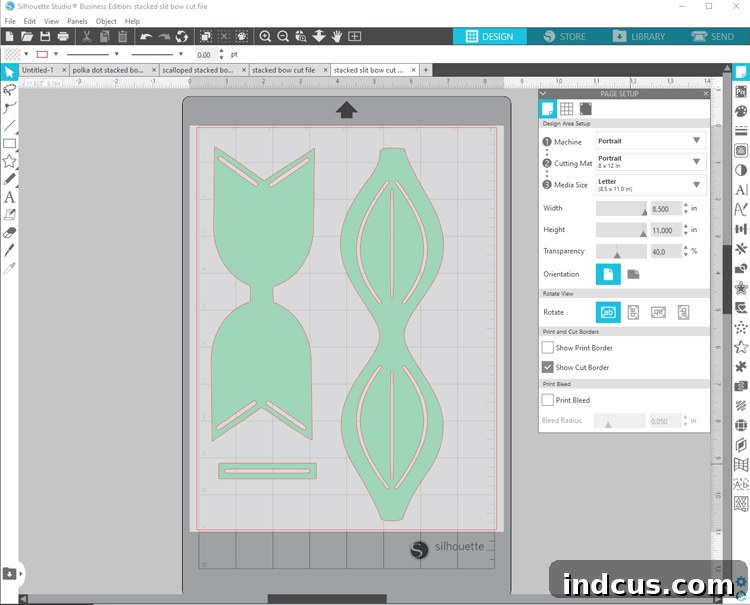
Step 1: Download Your Cut Files and Customize in Silhouette Studio
Begin by downloading the free SVG cut files for the 3D paper bows from the link provided at the end of this article. Once downloaded, open these files within the Silhouette Studio software. This is where your creative journey truly begins! You have the freedom to adjust the size of your bows to suit your specific project needs. Simply select all the parts of a single bow pattern and drag the selection box to make them larger or smaller. It’s crucial to keep all the different pieces of a bow locked together when resizing. This ensures that they are scaled proportionally to one another, guaranteeing a perfect fit during assembly. Experiment with different sizes to create a collection of bows, from dainty accents to grand toppers.
Step 2: Prepare Your Material and Send to the Machine for Cutting
Select your desired colored cardstock. Place a piece of this cardstock onto your Silhouette cutting mat, ensuring it adheres firmly to prevent any shifting during the cutting process. Carefully load the cutting mat into your Silhouette Portrait 3 machine. In Silhouette Studio, navigate to the cut settings and select “Cardstock” as your material type. The Portrait 3’s autoblade will likely adjust itself automatically, but it’s always good practice to double-check the recommended settings for your specific cardstock weight. Once satisfied, send the design to the machine, and watch as your Portrait 3 precisely cuts out all the intricate components of your 3D paper bows.
Step 3: Unload and Identify Your Bow Components
After the cutting process is complete, carefully remove the cutting mat from the machine. Gently peel the cut pieces of your bow from the mat, taking care not to tear any delicate parts. At this stage, you’ll notice that each bow pattern is comprised of three distinct elements, each playing a crucial role in forming the final dimensional bow:
- THE BOW: This is the primary, most recognizable part of your bow, forming the elegant loops that sit prominently on top.
- THE TAIL: This is the foundational piece, extending outwards on both sides beneath the main bow, adding balance and traditional bow aesthetics.
- THE CENTER WRAP: A smaller, rectangular strip designed to encircle the middle of the bow. Its purpose is to neatly conceal the seams and attachment points of “THE BOW” piece, giving your creation a polished and professional finish.
How To Assemble A 3D Paper Bow
- Take THE BOW piece. Gently bring one side of the loop towards the center. Apply a small dab of hot glue to the underside of the end of the loop, then press it down onto the designated center point, securing it in place.
- Repeat this process for the other side of THE BOW. Carefully loop it towards the center, apply hot glue, and secure it. It’s important to be gentle and avoid creating any harsh folds or creases. The goal is to maintain the natural curve and roundness of the loops, ensuring your bow looks soft and dimensional, not flattened.
- Once both loops are securely glued, take the assembled BOW piece and position it centrally on top of THE TAIL piece. Apply a line of hot glue along the center of THE TAIL and firmly press the looped BOW onto it, ensuring it’s well-adhered.
- Finally, take THE CENTER WRAP piece. Wrap it snugly around the middle section of both the looped BOW and THE TAIL layers, covering all the visible seams. Bring the ends of the wrap to the back side of THE TAIL, apply hot glue to the overlapping ends, and press them down firmly to secure the wrap in place. Trim any excess if necessary for a clean finish.
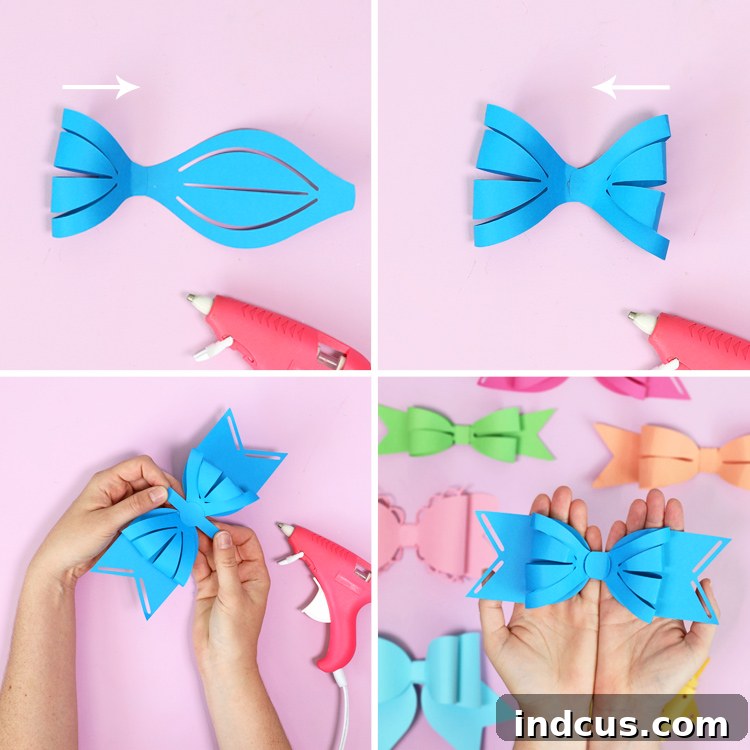
And there you have it – a perfectly crafted, beautiful 3D paper bow, ready to adorn your next project!
Unleash Your Inner Designer: Creative Variations and Applications
The true beauty of these 3D paper bows lies in their incredible versatility and the endless possibilities for customization. Don’t be afraid to experiment! You can mix and match different bow patterns with various tail shapes and center wrap designs from the included files to create an astonishing array of unique styles. While you might need to make minor size adjustments in Silhouette Studio if you combine elements from different original designs, the software makes this process intuitive and straightforward. So, go wild and let your imagination craft all the pretty bows your heart desires!
These elegant bows aren’t just for paper crafts. Imagine cutting these designs out of faux leather to create stunning, boutique-style hair bows. The Silhouette Portrait 3 is perfectly capable of handling faux leather, but you will need to adjust your cut settings to accommodate the thicker, more durable material. This opens up a whole new world of accessories and fashion-forward crafting. Additionally, consider using these bows for:
- Gift Toppers: Elevate any present with a handmade, dimensional bow.
- Party Decorations: Create stunning garlands, table scatters, or cupcake toppers.
- Scrapbooking & Card Making: Add depth and charm to your memory keeping and greeting cards.
- Home Decor: Embellish wreaths, picture frames, or create unique wall art.
Get Your Silhouette Portrait 3 Today!
If you’ve been on the fence about getting a cutting machine, now is truly the perfect moment to invest in the Silhouette Portrait 3. Silhouette is currently offering some incredible deals and bundles to celebrate its launch, making it an even more attractive option for both new and experienced crafters. Head over to the dedicated Silhouette Portrait 3 hub to explore all the different purchasing options and find the perfect package for your crafting needs. We’re confident that this powerful yet user-friendly machine will become an indispensable tool in your creative arsenal. As always, happy crafting, and enjoy bringing your paper bow visions to life!
Loved this project? Don’t forget to pin it to your favorite crafting board so you can easily find it later!