Craft a Custom Mason Jar Soap Dispenser: The Perfect Handmade Gift for Any Occasion
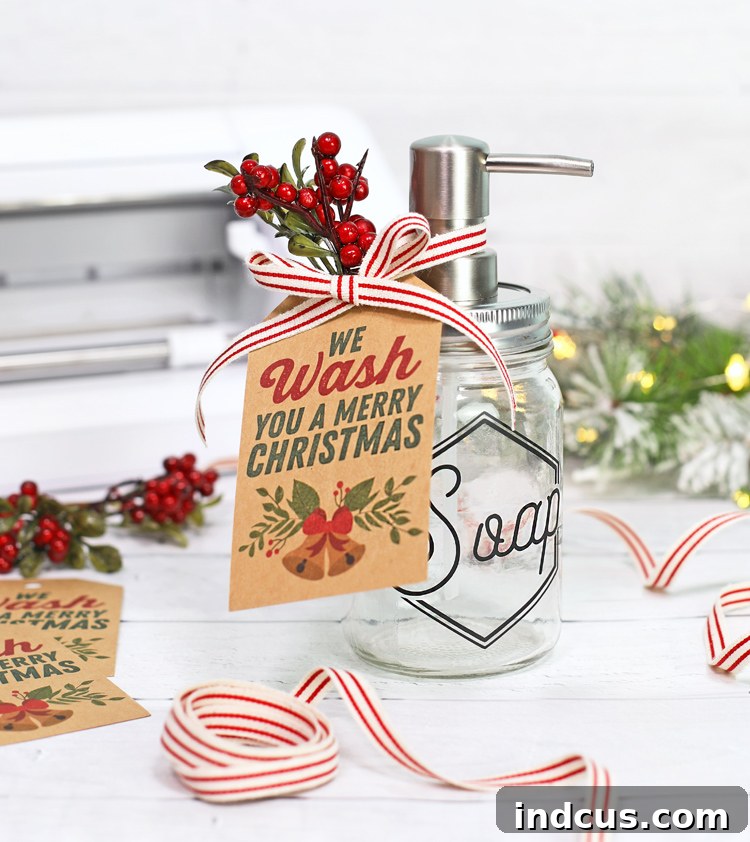
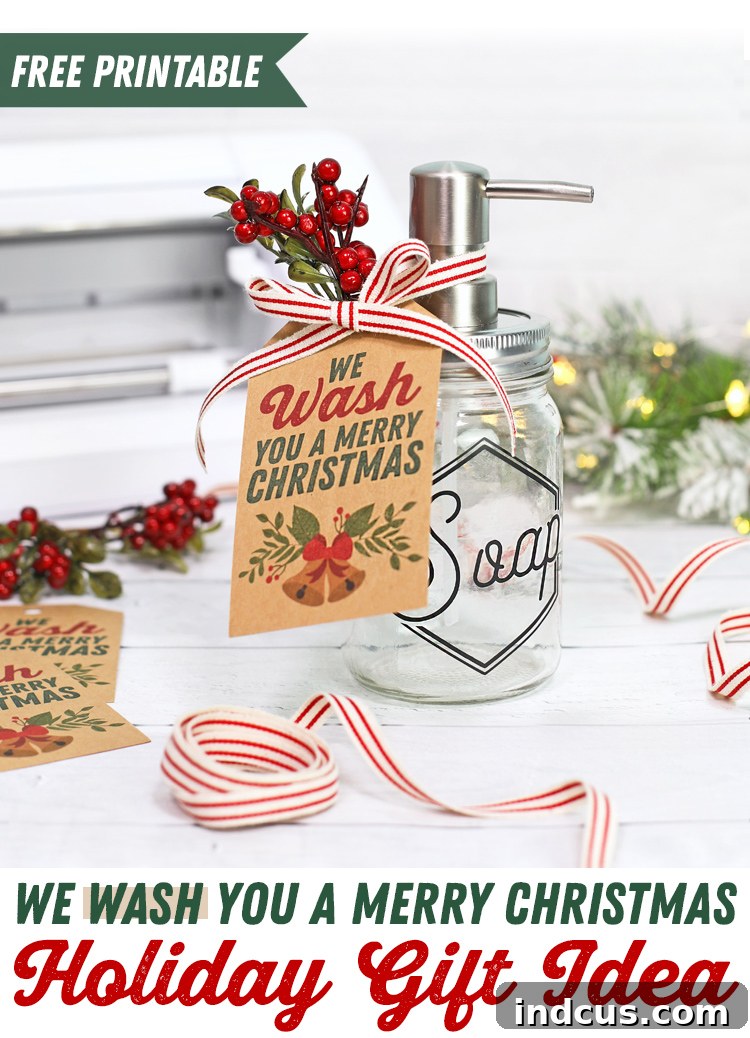
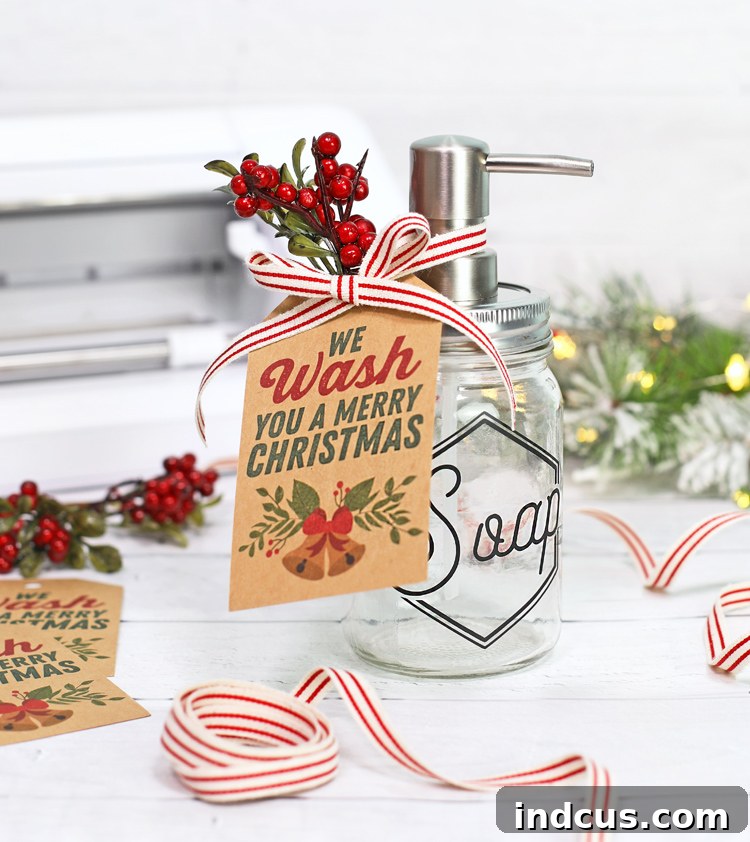
The holiday season, and indeed any time of year, is perfect for showing appreciation to the special people in our lives with thoughtful, handmade gifts. There’s something truly unique and heartwarming about receiving a present crafted with care, and this DIY mason jar soap dispenser project fits that sentiment perfectly. Inspired by charming soap pump attachments designed specifically for mason jars, we’ve created a tutorial to help you craft a custom soap dispenser complete with a personalized vinyl label and a coordinating, punny gift tag. This elegant yet practical item makes an excellent holiday gift for a beloved neighbor, a cherished friend, or a hardworking teacher. Not only is it a functional addition to any home, but it also carries the personal touch of a handmade creation. The best part? Both the stylish soap dispenser label and the adorable gift tag designs are available for download at the bottom of this post, making this project accessible and enjoyable for crafters of all skill levels.
This post contains affiliate links, meaning if you make a purchase through our links, we may earn a commission at no extra cost to you.
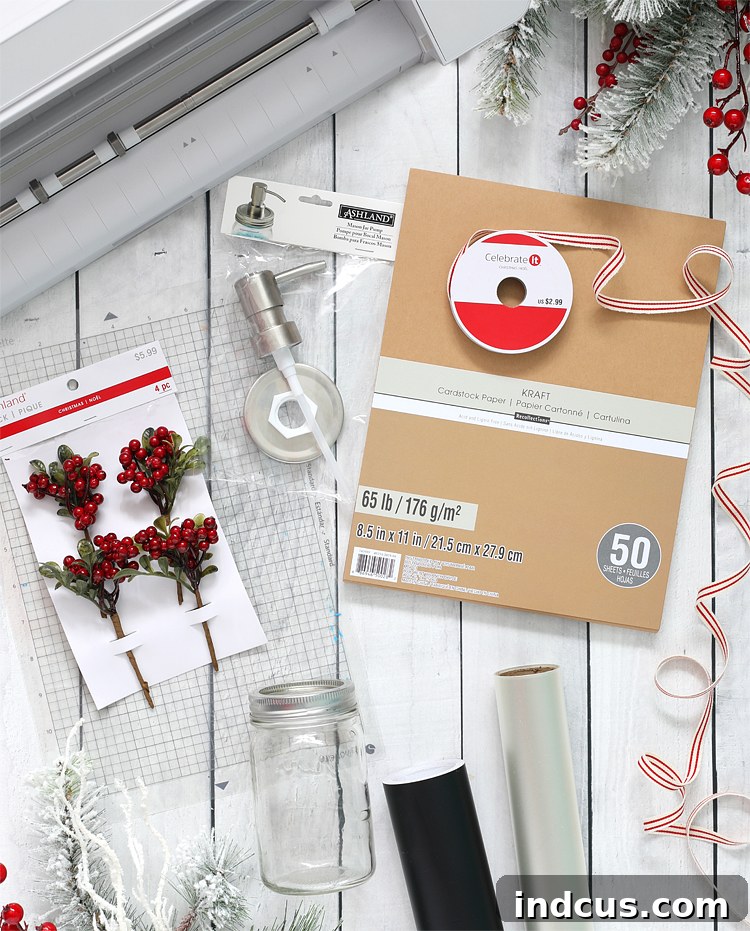
To embark on this delightful crafting journey and create your own beautiful mason jar soap dispenser, you will need the following materials:
Essential Materials for Your DIY Soap Dispenser
Gathering your supplies is the first step to a successful craft project. Here’s a detailed list of what you’ll need, along with some insights into why each item is important:
- Silhouette Cameo or Silhouette Portrait: These versatile electronic cutting machines are indispensable for creating intricate vinyl labels and precise gift tags. They allow you to bring digital designs to life with incredible accuracy, making custom projects like this a breeze. If you don’t own one, consider borrowing from a friend or checking local craft shops that offer cutting services.
- Mason Jar Pump Lid Insert: This crucial component transforms a simple mason jar into a functional soap dispenser. Look for inserts that are compatible with standard-mouth mason jars for the best fit. They come in various finishes, so choose one that matches your desired aesthetic.
- Pint Mason Jar with standard size opening: The classic mason jar serves as the body of your dispenser. Pint-sized jars are ideal for hand soap as they hold a good amount without being too bulky. Ensure it has a standard-sized opening to fit the pump lid insert.
- Permanent Adhesive Vinyl: This material is perfect for creating durable, long-lasting labels for your soap dispenser. While we used matte black for a sophisticated look, feel free to experiment with any color that complements your home decor or the recipient’s style. Permanent vinyl ensures the label withstands moisture and frequent use.
- Transfer Tape: An essential tool for cleanly transferring your intricate vinyl designs from their backing paper onto the mason jar. High-quality transfer tape makes the application process smooth and minimizes the risk of bubbling or misalignment.
- Kraft Cardstock: This sturdy paper is excellent for printing your gift tags. Its natural, rustic texture adds a charming, homemade feel to the finished product, perfectly complementing the mason jar aesthetic.
- Christmas Ribbon: A beautiful ribbon adds a festive touch and is used to attach the gift tag to the dispenser. Choose a color and style that aligns with the holiday spirit or the overall theme of your gift.
- Small Berry Pick or Greenery: For an extra special embellishment, a small pick of faux berries, pine needles, or other greenery can elevate the presentation, adding a touch of nature and festive charm.
Step-by-Step Instructions: Crafting Your Personalized Soap Dispenser
Follow these detailed steps to bring your custom mason jar soap dispenser to life. Precision and patience are key to achieving a professional finish!
Step 1: Prepare Your Vinyl Label Design
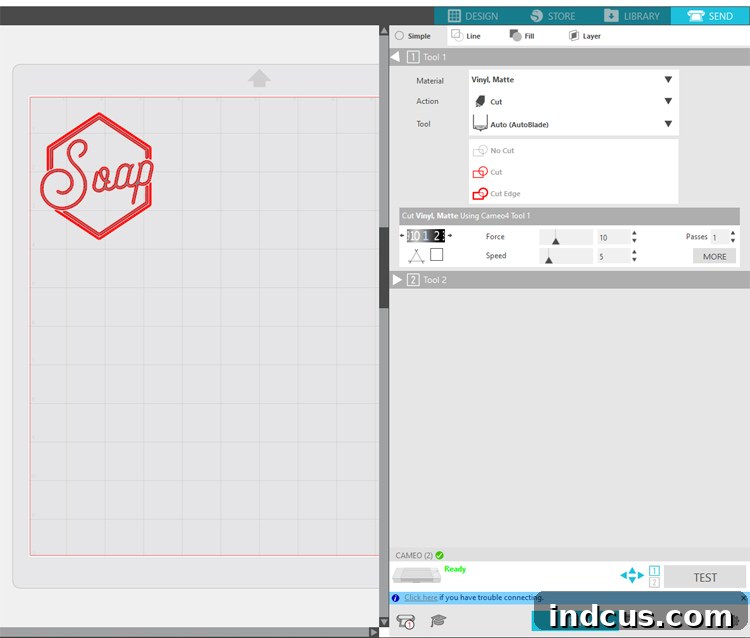
Begin by downloading the soap label design files, conveniently located at the bottom of this post. Once downloaded, open the soap label file within your Silhouette Studio software. This is where you’ll personalize the design. Carefully measure the surface area of your mason jar to determine the optimal size for your label. Adjust the design’s dimensions within the software to ensure it fits beautifully on the jar, neither too large nor too small. After resizing, drag the image to the desired location on the virtual cutting mat, preparing it for the cutting process. This initial measurement ensures a perfect fit and a polished final look.
Step 2: Cut Your Vinyl Label with Precision
With your design prepared, navigate to the “SEND” tab located in the upper right-hand corner of the Silhouette Studio interface. From the dropdown menu, select the appropriate cut settings for matte vinyl. These pre-programmed settings ensure your blade cuts through the vinyl cleanly without damaging the backing. Carefully load your permanent adhesive vinyl into your Silhouette machine, making sure it’s aligned correctly on the cutting mat. Double-check your settings and vinyl placement, then click “SEND.” The machine will then precisely cut your custom soap label design.
Step 3: Weed and Apply Your Vinyl Label
Once the cutting is complete, carefully unload the vinyl from your machine. This next step, known as “weeding,” involves removing all the excess vinyl from around your design, leaving only the desired label text or image. Use a weeding tool for intricate details. After weeding, take a piece of transfer tape and gently place it over the top of your vinyl design. Use a scraper tool or even a credit card to press firmly over the entire design, ensuring the vinyl adheres securely to the transfer tape. Slowly peel the transfer tape away from the vinyl’s paper backing; the vinyl design should now be stuck to the tape. Carefully position the vinyl design onto your clean glass mason jar, pressing down firmly. Rub the design from the center outwards to eliminate any air bubbles, then slowly peel away the transfer tape, leaving your custom vinyl label perfectly affixed to the jar.
Step 4: Assemble Your Mason Jar Soap Dispenser
Now it’s time to transform your labeled jar into a functional soap dispenser. Remove the standard metal lid and ring that typically comes with the mason jar. Replace this with your new pump lid insert, placing it directly on top of the mason jar opening. Then, take the original metal ring that came with the jar and screw it back on over the pump lid. This ring secures the pump lid firmly in place, ensuring it won’t wobble or come loose during use. Fill your jar with your favorite liquid hand soap, and your custom dispenser is almost ready!
Step 5: Prepare Your Gift Tag for Print and Cut
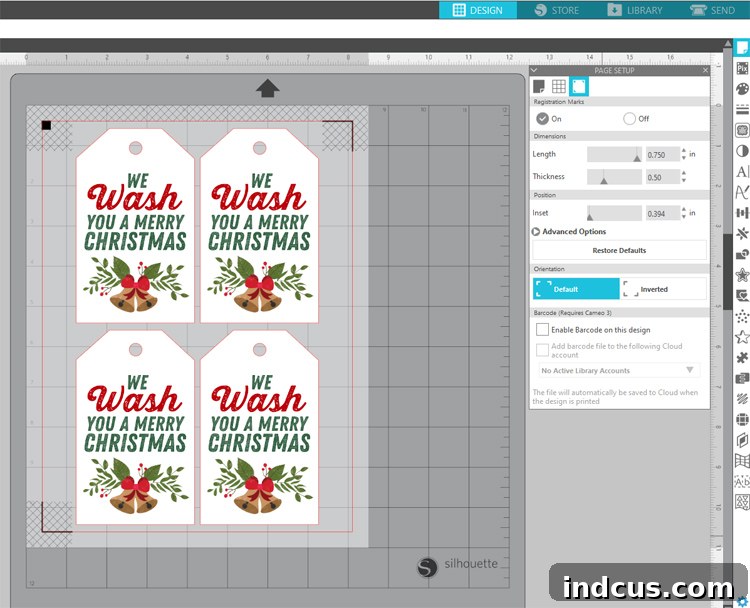
Open the gift tag file in Silhouette Studio. This project utilizes the incredible “Print and Cut” feature of Silhouette machines, which allows for perfectly cut printed designs. If you’re new to this feature, you can find a detailed tutorial here. To activate Print and Cut, click on the “Page Setup” icon (the paper icon) at the very top of the menu on the right-hand side. Here, you’ll need to turn on the “Registration Marks” option. Then, decrease the inset to the minimum number by sliding the triangle all the way to the left. This maximizes your printable area. Your screen should now display the registration marks, indicating the print and cut area.
Step 6: Print and Cut Your Personalized Gift Tags
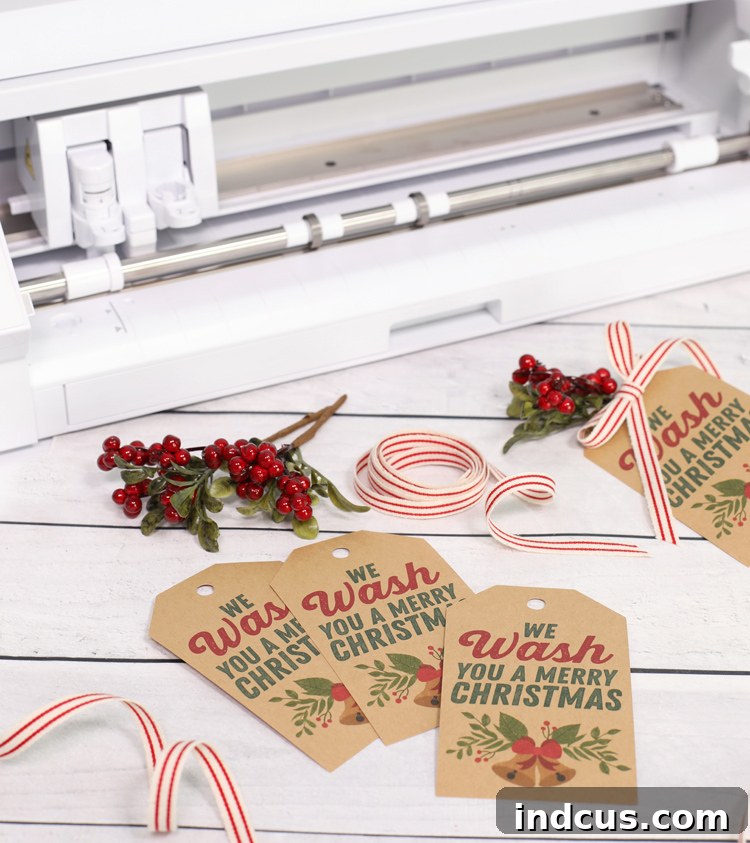
Once your gift tag design and registration marks are set up in Silhouette Studio, print the design onto your chosen piece of kraft cardstock using your home printer. After printing, carefully secure the printed cardstock onto a cutting mat, ensuring it’s aligned properly within the mat’s grid. Insert the cutting mat into your Silhouette machine. Back in the Silhouette Studio software, adjust the cut settings specifically for cardstock to ensure a clean cut. Press “SEND.” Your Silhouette machine will then “read” the printed registration marks using its optical sensor, allowing it to precisely align the cuts with your printed images. This ingenious feature is one of the most beloved aspects of Silhouette machines, enabling you to create beautifully professional-looking tags, cards, stickers, and more with unparalleled accuracy. It works seamlessly across various models, including the Cameo 3 & 4 and the Portrait 2 & 3 machines, producing flawless results every time.
Step 7: Final Assembly and Gift Presentation
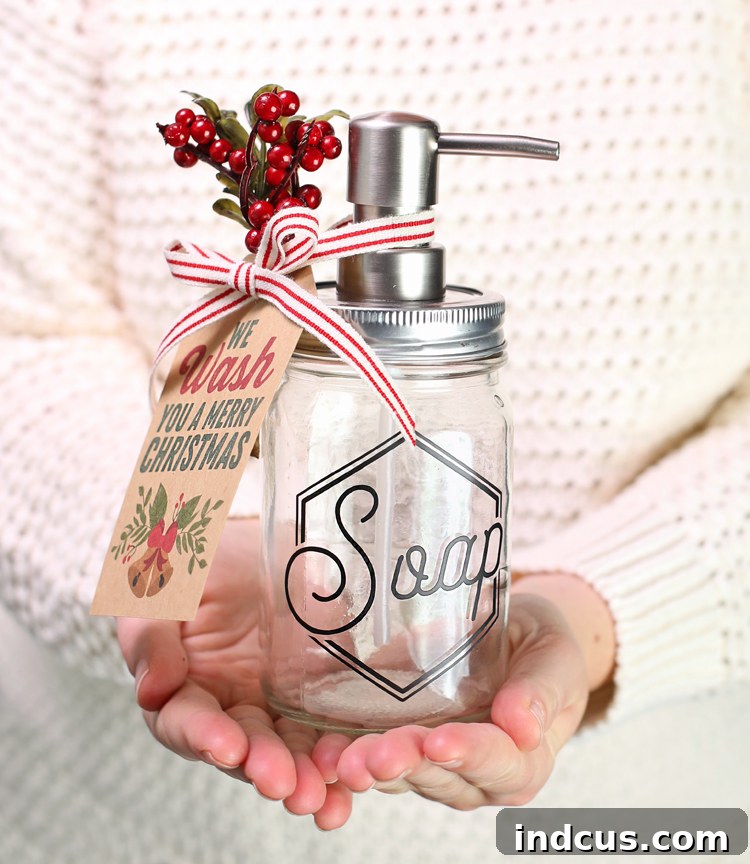
With your gift tags precisely cut, unload the cutting mat from your machine and carefully remove the tags. Now, it’s time to put the finishing touches on your beautiful handmade gift. Secure one of the charming gift tags to the neck of your custom soap dispenser using a festive Christmas ribbon. For an added touch of elegance and holiday cheer, tuck a small pick of berries, a sprig of evergreen, or any other small decorative greenery under the ribbon. This little detail truly elevates the presentation. If you wish, you can further enhance the gift by wrapping the entire soap dispenser in clear cellophane or placing the jar inside a decorative gift bag, with the tag artfully attached to the outside. This handcrafted soap dispenser, complete with its personalized label and punny tag, is now a perfect, ready-to-give present that will surely delight its recipient.
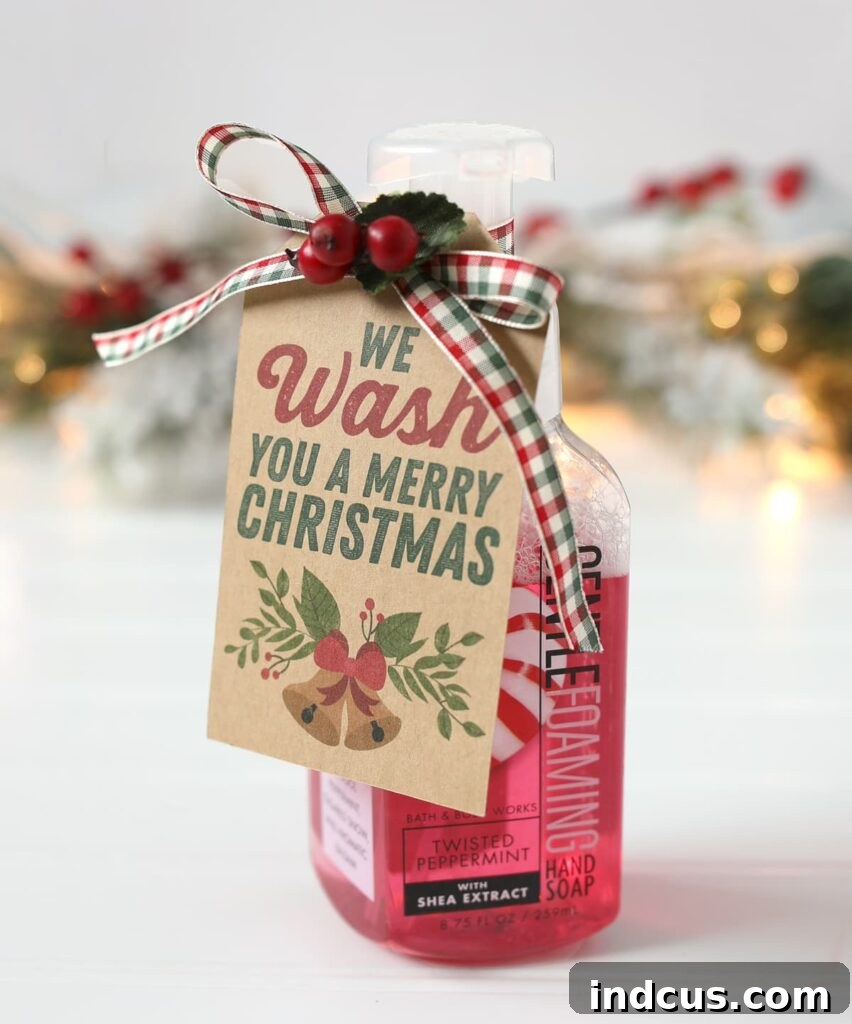
Even if you’re short on time for a full DIY, you can still use these adorable gift tags to add a personal touch to store-bought items. Simply attach one to a bottle of luxurious hand soap – the foaming soaps from brands like Bath and Body Works are always a hit and would pair perfectly with these festive tags, making an instant thoughtful gift!
Watch the Video Tutorial
For a visual guide to making this charming soap dispenser, be sure to watch our detailed video tutorial. It walks you through each step, from cutting your vinyl to assembling the final gift, making the process even easier to follow. The video provides helpful tips and shows you exactly how to achieve perfect results for your “We WASH You A Merry Christmas” gift idea. You’ll find it incredibly useful for seeing the Print and Cut feature in action!
Found this DIY inspiring? Pin it to save for later and share with your crafting community!