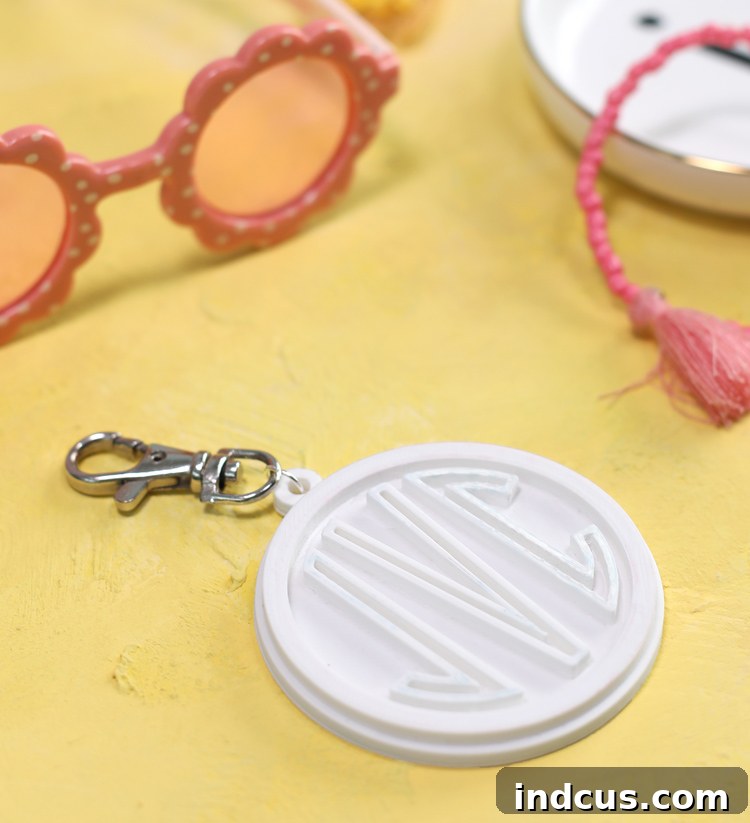
Craft Your Unique Identity: A Guide to Creating Custom Monogram Luggage Tags with Silhouette Alta 3D Printer
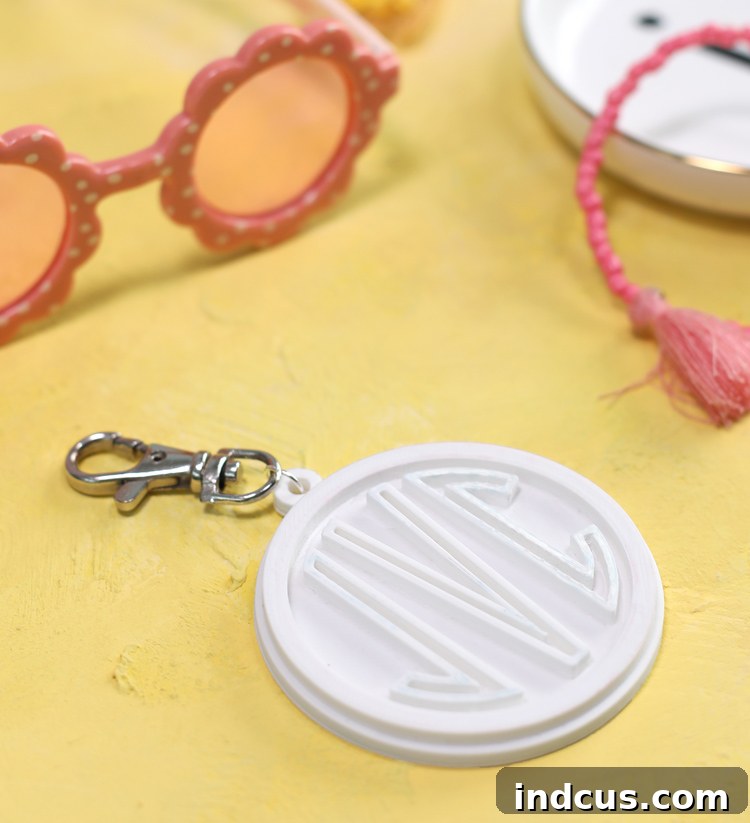
Step into the exciting realm of 3D printing and unlock a world of personalized crafting! If you’ve been contemplating a 3D printer, now is the perfect time to explore the incredible possibilities they offer. Devices like the Silhouette Alta 3D Printer are revolutionizing how crafters approach projects, allowing you to transform digital designs into tangible, three-dimensional objects. Imagine the satisfaction of bringing your creative visions to life, one layer of plastic at a time!
Today, we’re going to dive into a fantastic project that perfectly showcases the power of personalization: crafting your very own custom monogrammed luggage tags. Not only are these tags incredibly practical for distinguishing your bags on a busy carousel, but they also serve as a stylish statement piece that reflects your unique identity. Say goodbye to generic luggage tags and hello to bespoke travel accessories!
This post is sponsored by Silhouette America. All ideas and opinions are my own.
Why Create a Custom Luggage Tag? The Benefits of 3D Printing Personalization
Custom luggage tags offer numerous advantages beyond just looking good. In a sea of similar suitcases, a unique monogrammed tag makes your bag instantly recognizable, minimizing the risk of accidental mix-ups. Furthermore, these personalized tags make thoughtful and practical gifts for friends, family, or fellow travel enthusiasts. The beauty of 3D printing, especially with a user-friendly machine like the Silhouette Alta, lies in its ability to produce professional-quality items right from your home craft room.
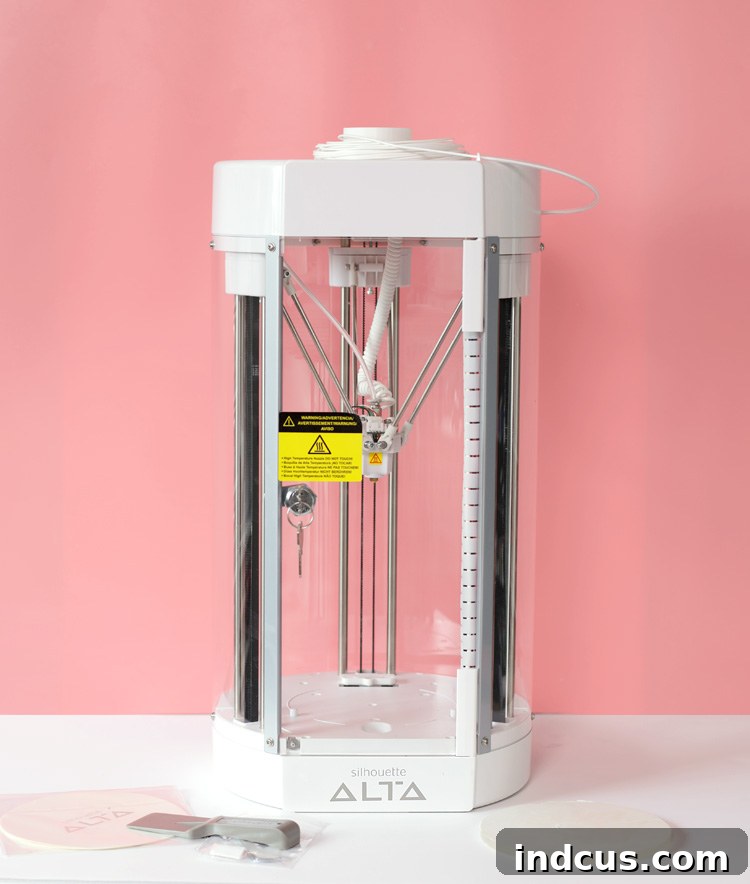
The Silhouette Alta stands out for its accessibility to crafters. Unlike more complex industrial 3D printers, it’s designed with ease of use in mind, making it an excellent choice for those new to the world of additive manufacturing. It operates by heating and extruding plastic filament layer by layer, building your design from the ground up. This process, while seemingly complex, is made incredibly straightforward by the intuitive accompanying software. You’ll be amazed at how quickly you can go from a digital concept to a physical object.
Materials Needed for Your Monogrammed Luggage Tag Project
Before we begin, gather the following essential materials. Having everything ready will ensure a smooth and enjoyable crafting experience as you embark on your 3D printing journey.
- Silhouette Alta or Alta+ 3D Printing Machine: Your primary tool for bringing the design to life. Both models offer excellent performance for this project.
- Plastic Filament: This is the raw material your printer uses. Silhouette Alta typically uses PLA (Polylactic Acid) filament, which is a biodegradable, plant-based plastic known for being easy to print with. Choose a color that complements your style or makes your luggage tag stand out! There’s a wide array of vibrant colors available.
- Luggage Tag Silhouette File: This provides the base shape for your tag. You can download our convenient free template right here to get started quickly. (Free Download HERE)
- Jump Ring and Hook (Optional): These are for attaching your finished tag to your luggage. A jump ring provides a secure loop, and a hook (like a small carabiner or an S-hook) offers easy attachment. Alternatively, a sturdy ribbon or leather strap can also be used.
Designing Your Monogrammed Tag in Silhouette Studio
One of the most remarkable features of the Silhouette Alta is its seamless integration with Silhouette Studio, the same design software used for their cutting machines. This means you can leverage existing design files and transform them into 3D objects with incredible ease. This versatility truly opens up a world of creative possibilities for crafters already familiar with the Silhouette ecosystem.
To begin designing your monogram, first, download the provided luggage tag Silhouette file. Once downloaded, open this file in Silhouette Studio. This will give you the foundational shape of your tag. Next, it’s time to personalize it with your monogram. Use the text tool to add your chosen initials. When selecting a font, consider a sturdy, clear monogram font that will translate well into a 3D extrusion. The Silhouette Design Store offers a vast collection of monogram fonts that are perfect for this project.
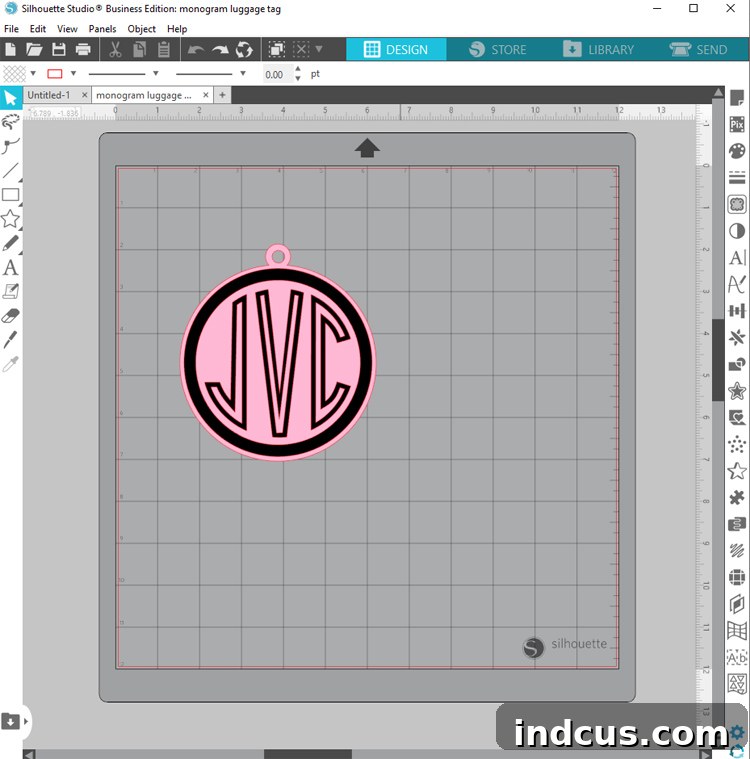
Carefully size and position your monogram within the luggage tag shape. Ensure there’s adequate spacing between the letters and the edge of the tag to maintain structural integrity once printed. For best results, you might want to weld or combine overlapping elements of your monogram so they form a single, cohesive shape, which will print more cleanly. Once you’re satisfied with your design, save the file to your desktop in a format easily accessible for the next step.
Transforming Your 2D Design into 3D with Silhouette 3D Software
Now, let’s bring your flat design into the third dimension! Open the Silhouette 3D software program. This is where your Silhouette Alta truly shines, converting your 2D artwork into a printable 3D model. Select FILE > OPEN and then navigate to where you saved your custom luggage tag template from Silhouette Studio. Upon opening the file, a screen will pop up, prompting you to choose how you want to convert your design.
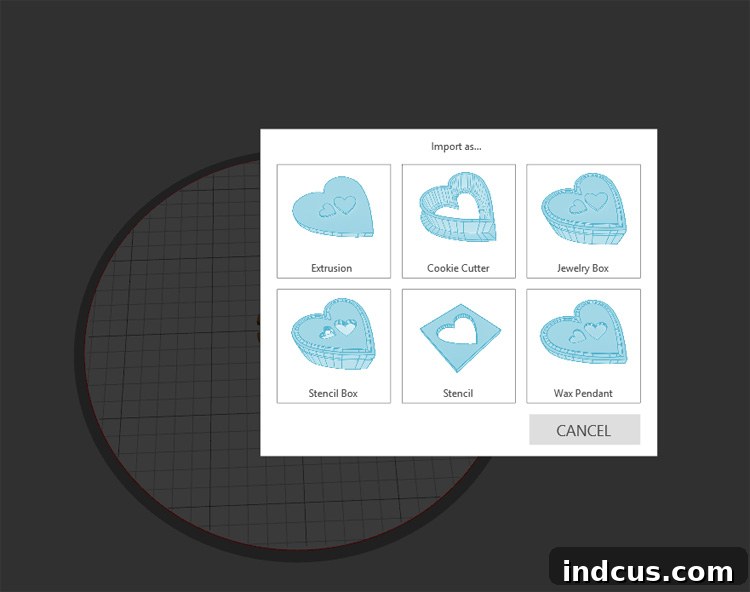
For this project, the most suitable option is to choose the Extrusion option. Extrusion essentially “pulls” your 2D shape upwards, giving it a uniform depth and transforming it into a solid 3D object. This is ideal for creating simple, sturdy objects like luggage tags.
Once your design is extruded, you’ll enter the customization phase within the Silhouette 3D software. Here, you have precise control over various aspects of your luggage tag. You can resize the entire tag to your desired dimensions – perhaps making it slightly larger for better visibility or smaller for a more discreet look. More importantly, you can adjust the depth of the different parts of the design. For instance, you might want the main body of the tag to be thicker for durability, while the monogram letters could be slightly raised with a different depth to create a subtle yet impactful visual effect. Experiment with these settings to achieve the perfect balance of aesthetics and functionality.
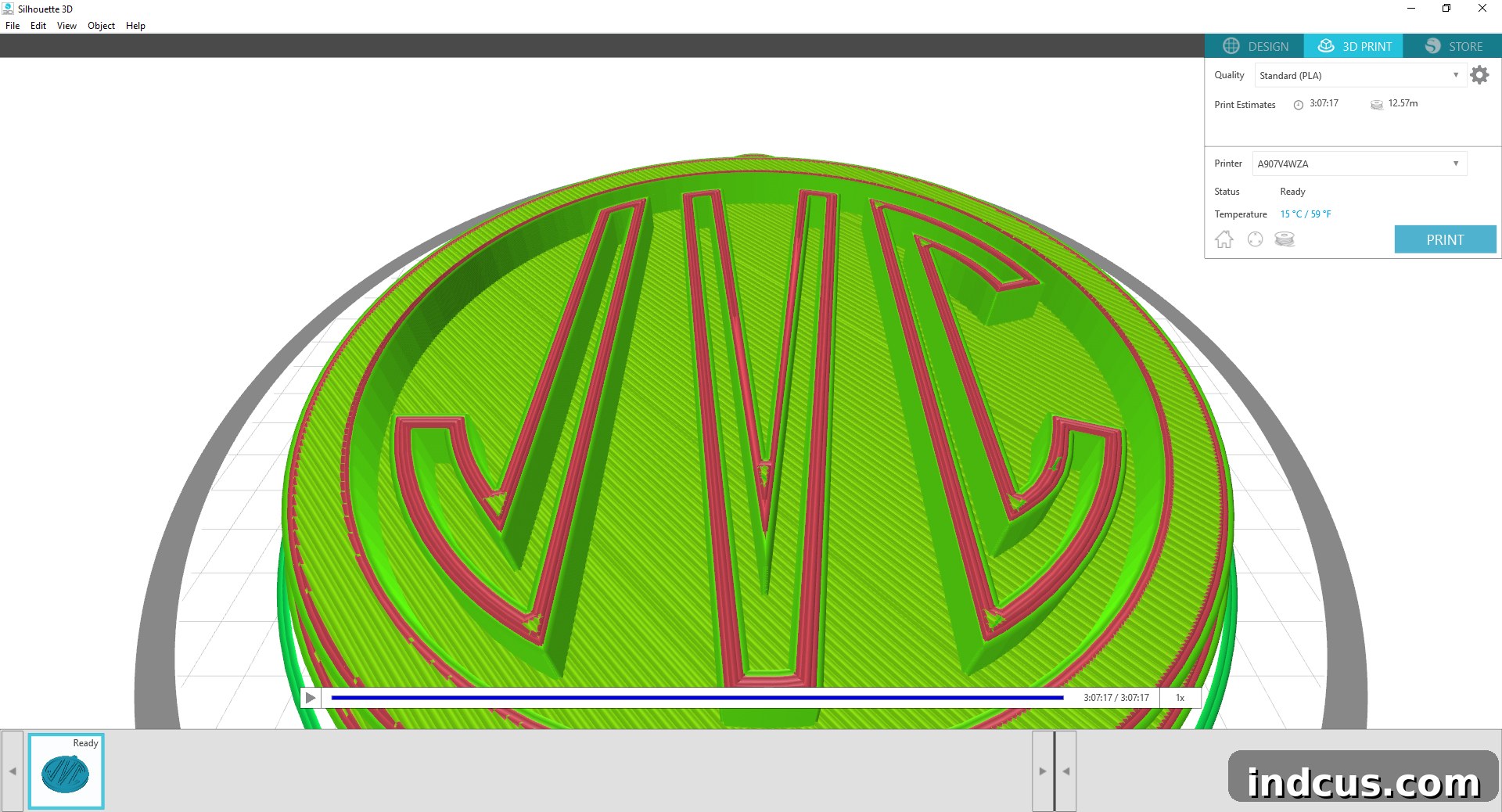
As you make adjustments, the software provides a real-time preview of your 3D model, allowing you to visualize the final product. Pay attention to how changes in depth affect the overall look and feel. Remember, thicker prints generally equate to greater durability but also longer print times and more filament usage. Find the sweet spot that meets your needs. Once your design is precisely how you’d like it, your custom monogrammed luggage tag is ready for printing.
Sending Your Design to the Alta for 3D Printing
With your customized design finalized in the Silhouette 3D software, the next exciting step is to send it to your Silhouette Alta to print. Before initiating the print, the software will provide you with a time estimate. This estimate is crucial for planning and can vary significantly depending on several factors:
- Print Settings: Higher resolution or ‘fine’ settings will produce a smoother, more detailed print but will take longer. Conversely, ‘draft’ or lower resolution settings will print faster with slightly less detail.
- Design Complexity: More intricate designs with finer details or larger surface areas will inherently take more time to print.
- Overall Size and Depth: As discussed, a larger or thicker tag requires more plastic layers and therefore more printing time.
Ensure your Silhouette Alta is powered on, properly calibrated, and loaded with the chosen filament. The print bed should also be clean to ensure good adhesion of the first layers, preventing common issues like warping. Once you’ve sent the design, the Alta will begin its mesmerizing process of extruding melted plastic, building your luggage tag layer by precise layer. While the printing process can take quite a while – sometimes hours for larger, more detailed prints – it’s a truly captivating experience to watch your creation materialize before your eyes. It’s a testament to the power of modern desktop 3D printing.
The Finishing Touches: Revealing Your Professional-Quality Tag
After the Silhouette Alta has completed its work and the printer has cooled down, it’s time for the grand reveal! Carefully pop the finished plastic print off of the base. It’s important to do this gently to avoid damaging your newly crafted tag or the printer’s build plate. You’ll be amazed at the professional quality and smooth finish of your 3D-printed creation. The tactile feel of the finished plastic is incredibly satisfying, truly showcasing the capabilities of your Silhouette Alta 3D Printer.
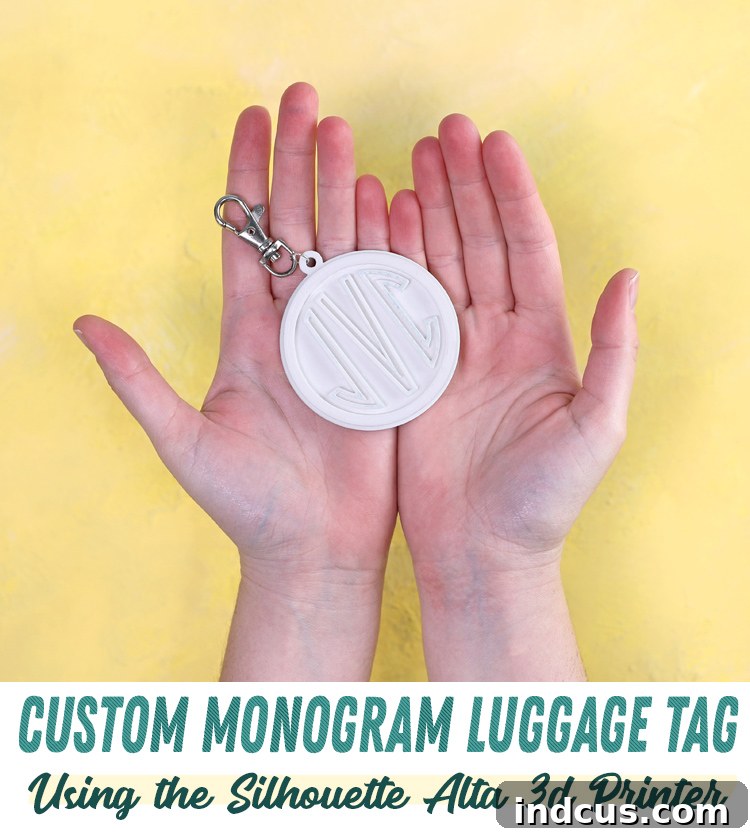
Once removed, your custom monogrammed luggage tag is almost complete. The final step is to add the attachment mechanism. You can easily add a jump ring and a hook through the designated hole in your tag. This allows for secure and convenient attachment to any suitcase, backpack, or travel bag. Alternatively, you could thread a durable ribbon, a stylish leather strap, or even a robust keyring through the hole for a different aesthetic. Choose an attachment that complements your luggage and personal style.
You’ll find that the quality of these 3D-printed tags is so impressive, no one will believe you actually made them yourself! The clean lines, durable plastic, and personalized monogram give them a polished, store-bought look. This project is a fantastic demonstration of how accessible and rewarding crafting with plastic can be, yielding truly amazing, professional results right from your home studio. Don’t stop at luggage tags – the skills you’ve gained can be applied to an endless array of other personalized 3D printing projects!