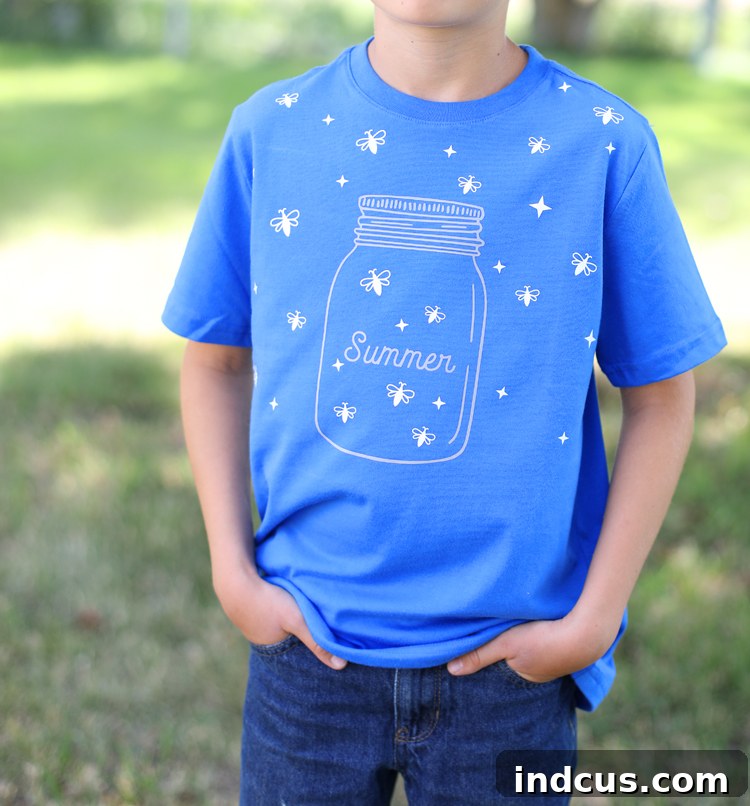
Unleash Creativity: Craft a Dazzling Glow-in-the-Dark Firefly Shirt with Heat Transfer Vinyl
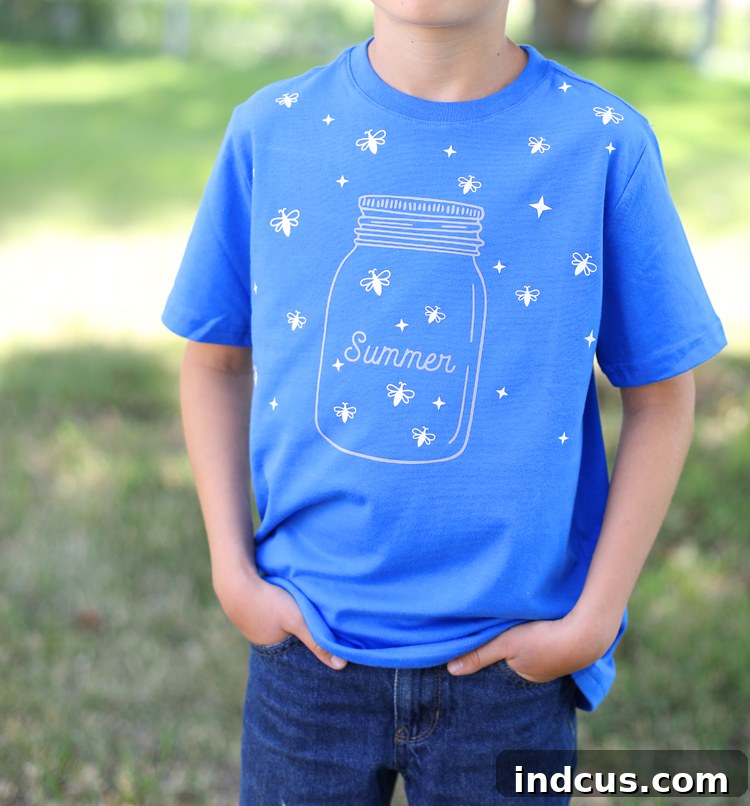
In the vibrant world of DIY crafting, personalizing apparel offers an incredibly rewarding experience. From witty slogans to intricate designs, the possibilities are endless, especially with the versatile medium of heat transfer vinyl (HTV). Did you know there’s a whole universe of HTV types, each designed for unique applications and effects? Today, we’re embarking on an enchanting journey into the realm of custom apparel, focusing on one of the most magical varieties: glow-in-the-dark heat transfer vinyl.
We’re thrilled to partner with our friends at Expressions Vinyl and a community of talented bloggers to explore the exciting spectrum of HTV. This guide will introduce you to fantastic vinyl types and inspire countless creative projects. Our spotlight shines brightly on the captivating glow-in-the-dark heat transfer vinyl from Expressions Vinyl. It’s an absolute game-changer for adding a touch of wonder to any fabric item. This special vinyl cuts and applies just like standard HTV, but once the lights go down, your design comes alive with a mesmerizing glow! Imagine the delight on a child’s face, or the fun at a camping trip, when their shirt magically illuminates the night. This project is perfect for crafters of all skill levels, offering a simple yet incredibly impactful way to create personalized, glowing apparel.
Discover the Magic of Glow-in-the-Dark Heat Transfer Vinyl
Glow-in-the-dark HTV isn’t just a craft supply; it’s a tool for creating moments of pure joy and wonder. Understanding its characteristics is key to unlocking its full potential and ensuring your projects turn out perfectly. Here’s what you need to know about this fantastic material:
- Understanding the Layers: Heat transfer vinyl consists of two primary layers. One side features a specialized heat-activated adhesive, designed to bond securely with your fabric when heat and pressure are applied. The other side is a clear carrier sheet, which acts as a protective layer and holds your intricate cut design together until it’s time for application. This carrier sheet is crucial for maintaining the integrity of your design during weeding and placement.
- Loading Your Machine Correctly: For optimal cutting results with your Silhouette or similar cutting machine, always load heat transfer vinyl with the shiny side (the carrier sheet side) facing DOWN. This ensures that the blade cuts into the adhesive-backed vinyl layer, leaving the carrier sheet intact to hold your design. Forgetting this crucial step can lead to a ruined design and wasted material.
- Versatile Fabric Compatibility: The beauty of HTV lies in its adaptability. This vinyl can be applied to a wide array of fabric-based items, making it perfect for custom t-shirts, cozy hats, stylish scarves, unique shoes, or virtually any textile that can comfortably withstand the heat from a standard iron or a professional heat press. Always check the fabric content and heed the application instructions to ensure a lasting bond without damaging your garment. Natural fibers and poly-cotton blends are generally excellent candidates.
Key Features and Application Guidelines for Glow-in-the-Dark HTV
To achieve professional-looking results and maximize the glow effect, it’s essential to follow the specific application parameters for glow-in-the-dark HTV. These guidelines ensure optimal adhesion and durability:
- Application Temperature & Time: For a perfect bond, always preheat your fabric for 3 seconds to remove moisture and wrinkles. Then, apply firm, even pressure at 305 °F (150 °C) for 10-15 seconds. Consistency in heat and pressure is vital for the adhesive to fully activate and bond with the fabric fibers. Using a heat press is ideal for achieving this consistency, but a good quality household iron can work with careful technique.
- Peel Type: Hot Peel: This glow HTV is a “hot peel” vinyl. This means you should remove the clear carrier sheet immediately after the heat application, while the vinyl is still hot. Peeling too slowly or allowing it to cool might make the vinyl stick to the carrier sheet or lift from the fabric.
- Layering Considerations: Top Layer Only: Glow-in-the-dark HTV is specifically designed to be applied as the top, outermost layer of any layered design. Due to its unique composition and the way it absorbs and emits light, it should not be layered underneath other vinyl types. If you’re creating a multi-colored or multi-textured design, ensure the glow vinyl is the final layer applied, directly adhering to the fabric or a previously applied HTV layer.
- Adhesion Compatibility: This versatile vinyl adheres beautifully to common fabric types including Cotton, Uncoated Polyester, and Cotton/Poly Blends. These materials provide the ideal surface for the heat-activated adhesive to form a strong, lasting bond. Always avoid fabrics with heavy coatings or water-repellent treatments, as these can interfere with adhesion.
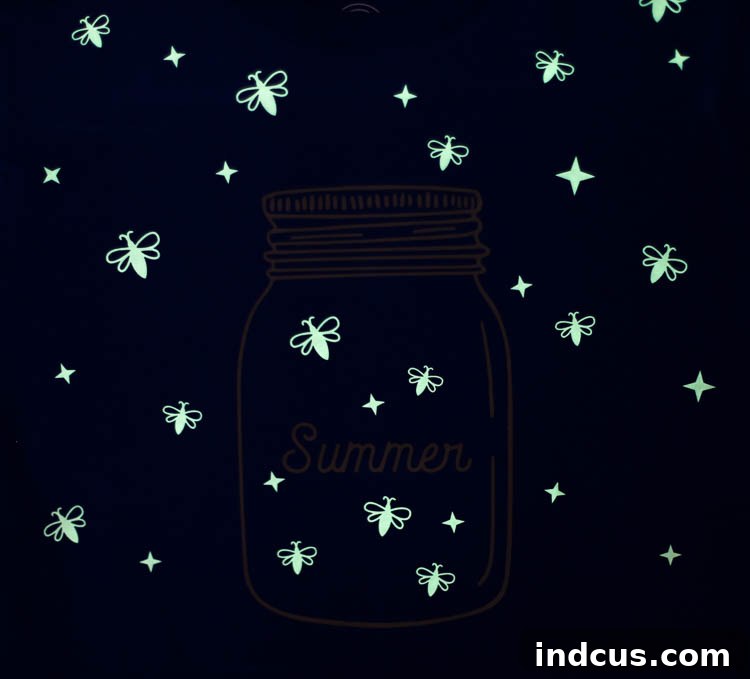
- Finish: Radiant Glow Green: When charged with light, this HTV emits a striking, vibrant Glow Green hue in the dark, creating a truly magical effect. During daylight, it typically appears as an off-white or translucent color, blending subtly with your garment until it’s time to shine.
- Thickness: 12mil: With a thickness of 12 mil, this vinyl offers a substantial feel without being overly bulky. Its robust nature ensures durability while still providing excellent cutting precision and flexibility on fabric.
- Recommended Wash Instructions: To preserve the integrity and longevity of your glow-in-the-dark design, always wash the garment inside out in cold water. Tumble dry on a low setting or, ideally, hang dry. Avoid harsh detergents, bleach, and direct ironing on the vinyl itself. Following these care instructions will keep your shirt glowing brightly for many wears to come.
- Available Sizes: This glow HTV is conveniently available in two popular sizes: 9″x12″ and 12″x20″ sheets, providing flexibility for various project scales, from small accents to larger designs.
Now that we’re familiar with the incredible properties of glow-in-the-dark HTV, let’s dive into the fun part: creating an enchanting firefly shirt that will light up any night!
Materials You’ll Need for Your Firefly Shirt Project
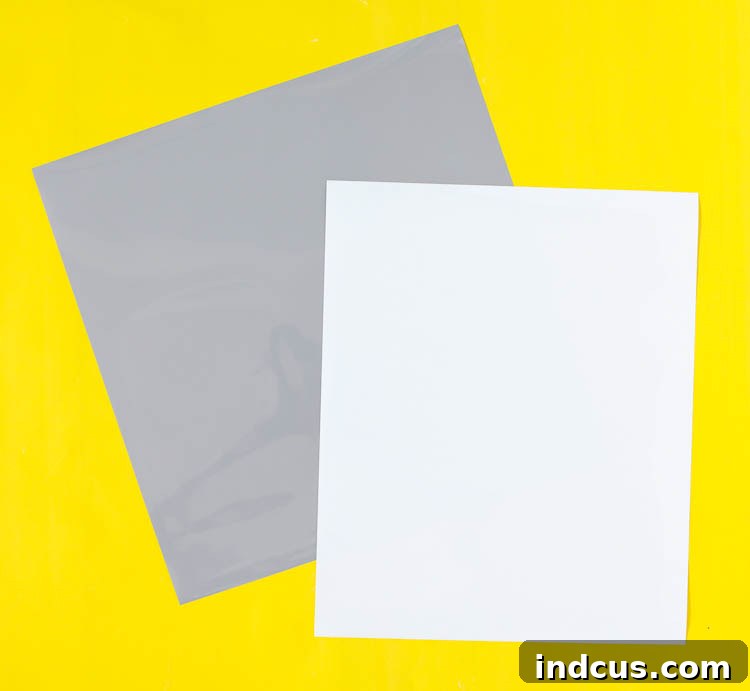
Gathering your supplies before you begin ensures a smooth and enjoyable crafting process. Here’s a detailed list of everything you’ll need to bring your glowing firefly shirt to life:
- Blank T-shirt: Choose a high-quality cotton, polyester, or cotton-poly blend t-shirt in any color. Lighter colors can sometimes make the glow effect more pronounced in daylight, but the glow is independent of fabric color in the dark. Ensure the shirt is pre-washed and dried without fabric softener to remove any sizing that could hinder vinyl adhesion.
- Glow-In-The-Dark Heat Transfer Vinyl: This is the star of our project! Make sure you have enough for all your firefly and star elements.
- Gray Heat Transfer Vinyl (or your preferred color): This will be used for the mason jar design. Gray offers a classic, rustic look, but feel free to choose any color that complements your shirt and vision. Black, brown, or even a metallic silver could also look fantastic.
- Silhouette Cameo Machine: Or any other compatible electronic cutting machine (like Cricut). This machine is essential for precisely cutting your intricate designs from the HTV sheets. Ensure your blade is sharp and your cutting mat has sufficient tack.
- Weeding Tool or Straight Pin: A weeding tool is specifically designed to remove excess vinyl from your cut design with precision. If you don’t have one, a sharp straight pin or a craft knife can serve as an alternative for carefully picking out small pieces.
- Iron or Heat Press: A heat press provides superior, even pressure and heat, but a good quality household iron can be used. Ensure your iron does not have steam in use when applying HTV.
- Clean Cloth or Ironing Sheet: This is used as a protective barrier between your heat source (iron/press) and the vinyl, preventing scorching of the vinyl or garment and ensuring even heat distribution.
- Ruler or Measuring Tape: Essential for accurate placement of your design on the t-shirt, ensuring it’s centered and aesthetically pleasing.
- Parchment Paper or Teflon Sheet (optional): Useful for protecting your heat press or iron from any adhesive residue.
With all your materials ready, let’s move on to the step-by-step instructions to create your enchanting firefly shirt!
Step 1 Prepare Your Design in Silhouette Studio
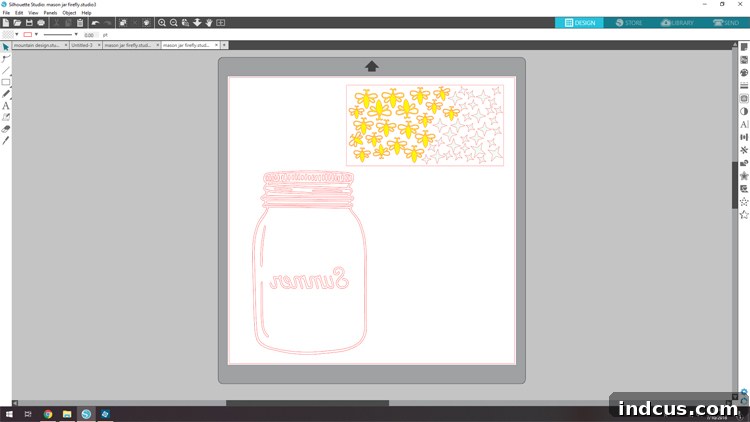
First, you’ll need the foundational design elements. Download the firefly and mason jar cut file from the dedicated link at the bottom of this page. Once downloaded, open this file in your Silhouette Studio software. The initial design will likely feature both the mason jar and firefly elements grouped together on your cutting mat. For this project, we’ll be cutting these elements from different colors of HTV. Begin by ungrouping the entire design to separate the components. Drag the mason jar design off the digital cutting mat and place it on the gray background area – this temporarily removes it from the cutting queue. Now, load your glow-in-the-dark heat transfer vinyl into your Silhouette machine, remembering to place it shiny-side down. Send the firefly design to cut. Once the fireflies are cut, remove the glow HTV. Then, drag the firefly design off the mat and place the mason jar design back onto the cutting mat. Load your chosen colored HTV (like gray) into your machine, shiny-side down, and cut out the mason jar. Don’t forget to always mirror your image before cutting any HTV design; this is a common mistake that can easily ruin your project. Mirroring ensures your design will be oriented correctly when applied to the shirt.
Step 2 Weed the Excess Vinyl from Your Design
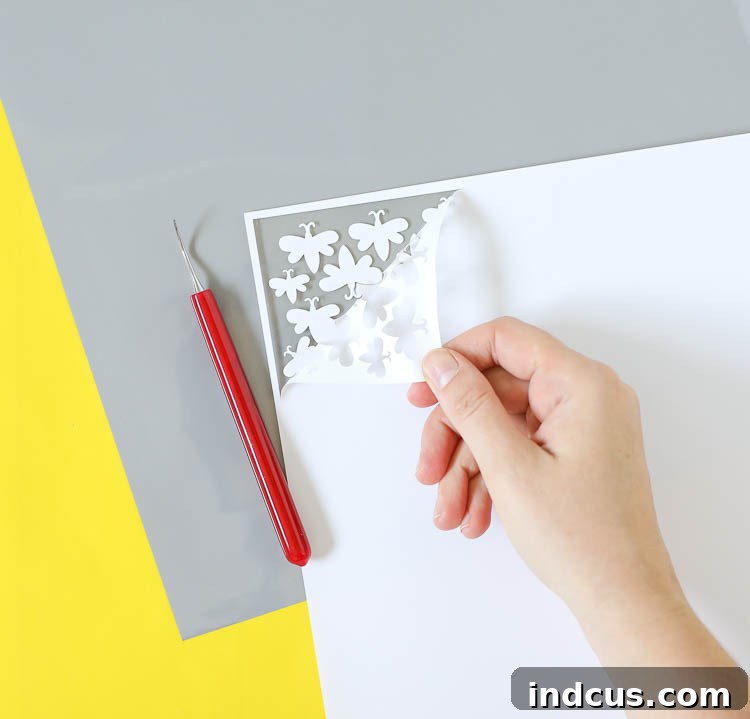
After your cutting machine has completed its work, carefully remove the vinyl sheet from the cutting mat. This step requires a steady hand and keen eye. Using your weeding tool or a straight pin, meticulously remove all the excess heat transfer vinyl surrounding your firefly and mason jar designs. The goal is to leave only the desired elements adhered to the clear carrier sheet. Start by peeling away the large outer areas, then move to the smaller, intricate details within the design. Take your time, especially around the delicate antennae of the fireflies or the fine lines of the mason jar. A good weeding tool makes this process significantly easier, allowing you to pick out tiny pieces without accidentally lifting your design. If you’re new to weeding, practicing on a scrap piece of vinyl can be helpful to get a feel for the process.
Step 3 Position the Mason Jar Design on Your T-shirt
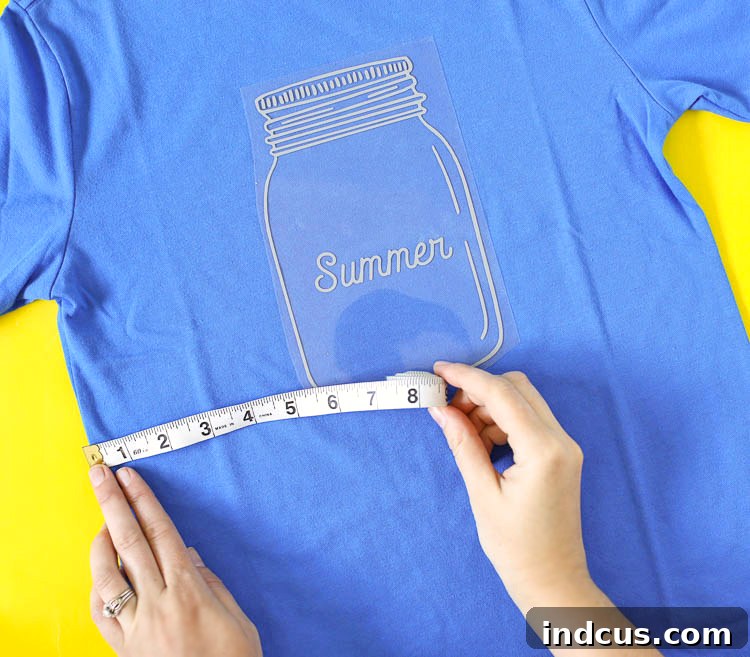
Now it’s time to bring your design onto the fabric. Lay your blank t-shirt flat on a clean, heat-resistant surface. Smooth out any wrinkles. Carefully place the weeded mason jar design onto the t-shirt, ensuring the clear carrier sheet side is facing upwards. This means the adhesive side of the vinyl is touching the fabric. Precision is key here; use a ruler or measuring tape to ensure the mason jar is perfectly centered both horizontally and vertically. Consider where the design will sit best on the wearer – typically around chest level. Step back and eye the placement before proceeding, making any necessary adjustments. The carrier sheet allows you to reposition the design until you’re satisfied with its placement.
Step 4 Apply Heat and Pressure to the Mason Jar
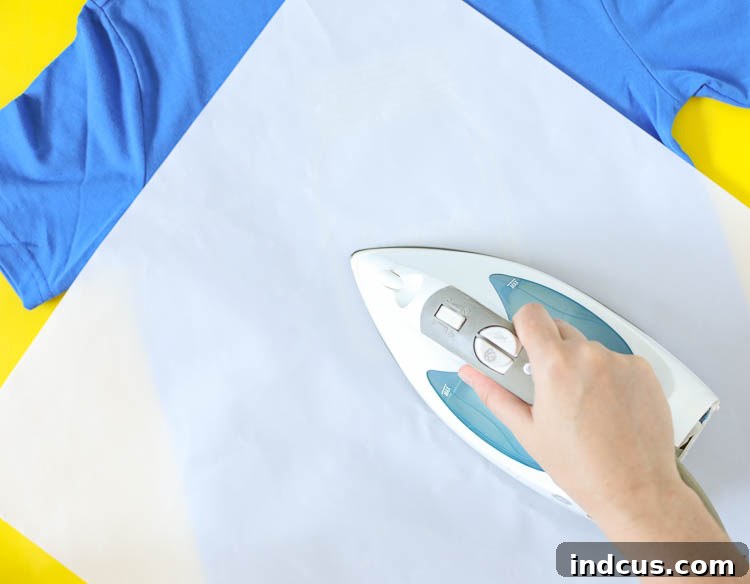
Once the mason jar is perfectly positioned, it’s time to apply the heat. Cover the design with a clean cloth, a parchment paper sheet, or a dedicated ironing sheet. This protective layer is crucial; it shields the vinyl and your iron from direct contact, preventing scorching and ensuring a consistent heat transfer. Set your iron or heat press to 305 °F (150 °C). Apply firm, even pressure to the entire design for 10-15 seconds. If using an iron, you’ll need to press down firmly and move the iron in small sections, making sure each part of the design receives adequate heat and pressure. Avoid sliding the iron around, which can shift the vinyl. For a heat press, simply lower the platten and let the machine do the work for the specified time. This step activates the adhesive, bonding the vinyl to the fabric.
Step 5 Hot Peel the Mason Jar Carrier Sheet
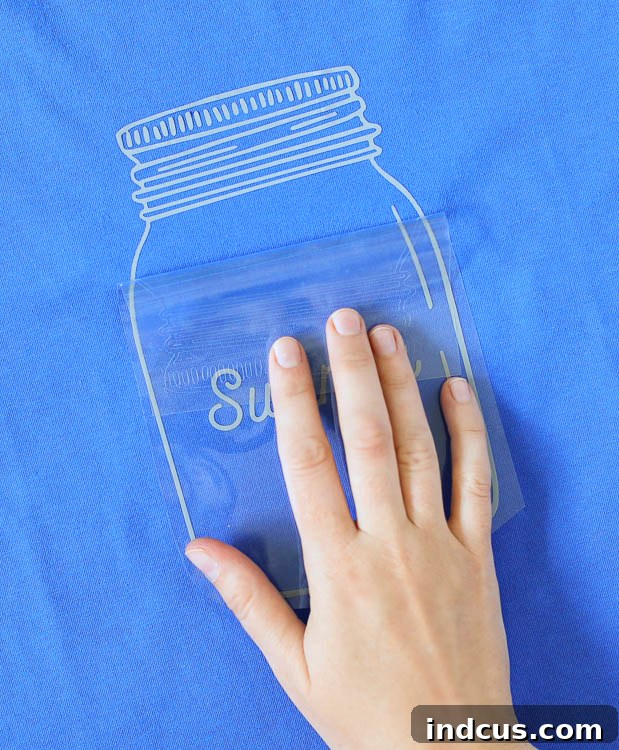
Immediately after applying heat and pressure, carefully peel away the clear carrier sheet from the mason jar design. Remember, this specific vinyl is a “hot peel,” meaning it should be removed while the vinyl and fabric are still warm. Begin peeling from one corner, pulling it back slowly and smoothly at an angle. If you notice any part of the vinyl lifting with the carrier sheet, gently lay the sheet back down, re-apply heat for a few more seconds, and then try peeling again. A successful hot peel will leave the vinyl firmly adhered to the t-shirt, with the carrier sheet coming off cleanly, revealing your crisp mason jar design.
Step 6 Arrange the Glow-in-the-Dark Fireflies
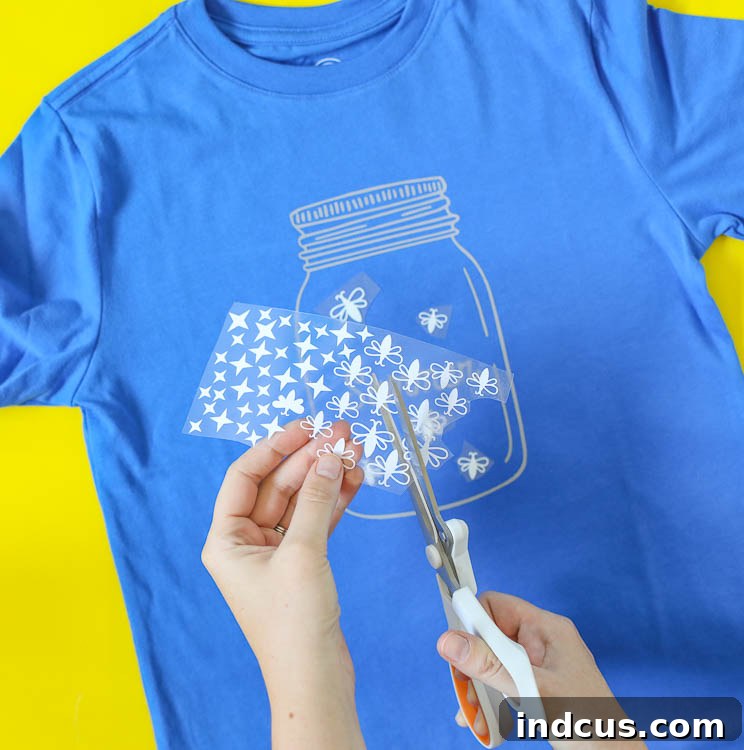
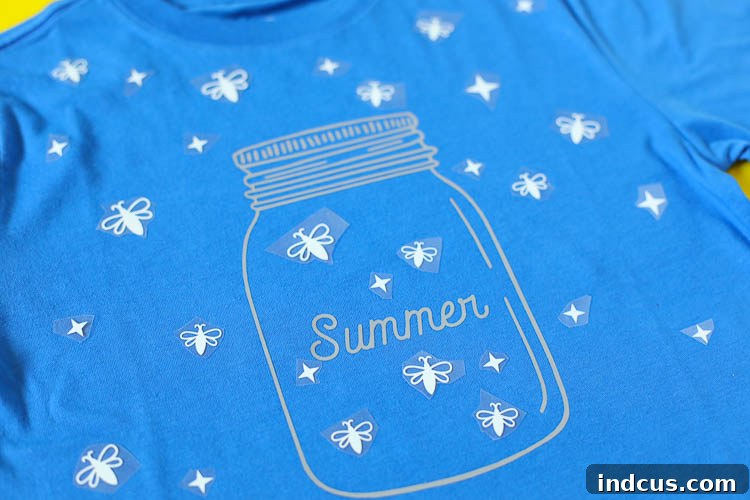
With the mason jar in place, it’s time to add the magical elements. Carefully cut the individual firefly and star designs from their glow-in-the-dark HTV carrier sheet. Now comes the creative part: arrange these glowing elements around and within the mason jar on your t-shirt. You can make some appear as if they’re flying into or out of the jar, while others hover nearby, creating a dynamic and whimsical scene. Play around with different placements and orientations until you achieve a look you love. Since they are separate pieces, you have complete freedom to create a unique composition. Consider staggering them at different heights and angles for a natural, effervescent effect. The clear carrier sheets will hold them in place temporarily, allowing for easy adjustments.
Step 7 Apply and Peel the Glow-in-the-Dark Elements
Once you are satisfied with the arrangement of your glowing fireflies and stars, it’s time to iron them into place. Just as you did with the mason jar, cover the fireflies with your protective cloth or ironing sheet. Apply firm pressure with your iron or heat press at 305 °F (150 °C) for 10-15 seconds. Since you’re dealing with multiple smaller pieces, you might need to press in sections to ensure each firefly receives adequate heat. After each section is pressed, immediately peel away the individual clear carrier sheet pieces while they are still hot. Repeat this process for all the fireflies and stars until every glowing element is securely adhered to the fabric and all carrier sheets are removed. Take a moment to admire your finished, glowing masterpiece! This step completes the transfer process, sealing the magic onto your garment.
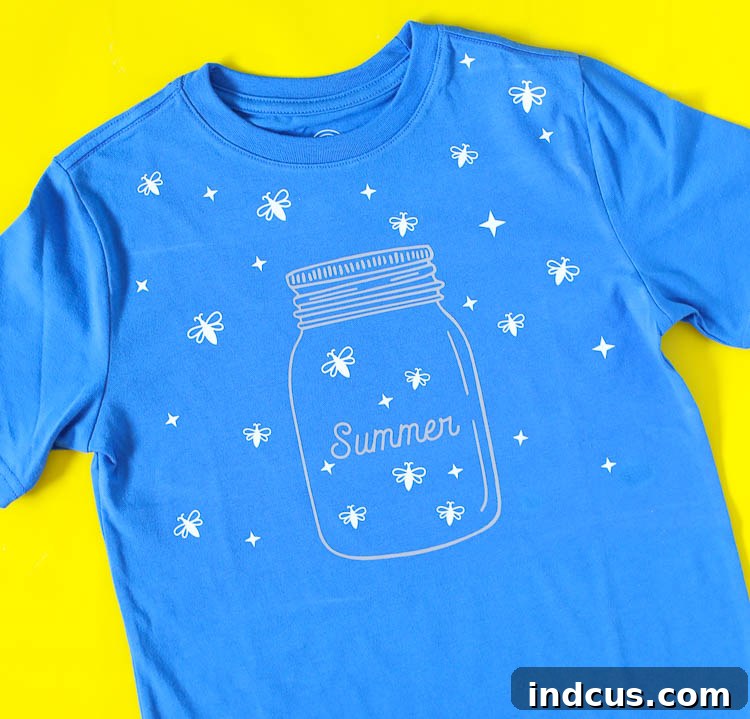
And just like that, you’ve transformed a simple t-shirt into a radiant, personalized piece of wearable art! This entire process is incredibly rewarding, yielding a custom garment that is not only stylish but also holds a captivating secret for nighttime adventures.
Care Instructions for Your New Glow-in-the-Dark Firefly Shirt
To ensure your glow-in-the-dark firefly shirt remains vibrant and retains its magical glow for as long as possible, proper care is essential. Always follow these guidelines:
- Washing: Turn the garment inside out before washing. Use cold water and a mild detergent.
- Drying: For best results, hang dry the shirt. If machine drying, use a low heat setting. High heat can weaken the adhesive bond of the vinyl over time.
- Ironing: Never iron directly on the vinyl design. If you need to iron the shirt, turn it inside out or place a pressing cloth over the design.
- Avoid: Do not use bleach, fabric softeners, or harsh chemicals, as these can damage the vinyl and reduce its glowing properties.
Unleash More Glow-in-the-Dark HTV Creativity!
The fun doesn’t have to stop with fireflies! Glow-in-the-dark HTV opens up a world of creative possibilities. Imagine making:
- Pajama Sets: Create constellations, stars, or spooky designs for truly magical bedtime wear.
- Camping Gear: Add glowing elements to backpacks, caps, or tent bags for easy visibility and a touch of whimsy in the dark.
- Halloween Costumes: Elevate any costume with glowing eyes, skeletons, or eerie designs for extra impact.
- Kids’ Room Decor: Customize pillowcases, wall hangings, or even canvas art that glows at night.
- Safety & Fun: Apply small glowing accents to bike helmets, pet leashes, or school bags for increased visibility in low light, adding a safety element with a fun twist.
This firefly shirt is more than just clothing; it’s an experience waiting to happen. It would be absolutely perfect for kids to wear as a unique pajama top, bringing a little magic to their bedtime routine. It’s also an ideal garment for camping trips, making them stand out around the campfire, or for a memorable family reunion, creating a unique, shared keepsake. The glow effect sparks conversation and brings smiles, making it a truly special addition to any wardrobe.
Click here to download the free firefly and mason jar cut file!
Share Your Creations and Stay Connected!
We hope you thoroughly enjoyed this glowing project and feel inspired to explore more DIY possibilities with heat transfer vinyl. Your support helps us continue creating valuable content and free resources. If you found this tutorial helpful and would like to show your appreciation for the complimentary cut file, there are a couple of wonderful ways you can do so:
- Sign up for our email newsletter: Join our community to receive updates, exclusive crafting tips, and be the first to know about new free designs and tutorials.
- Pin this project to Pinterest: Share the magic! Pinning this project helps other crafters discover this fun tutorial and spread the joy of glowing designs. It also helps us reach a wider audience and continue offering free resources.
Thank you for crafting with us! We can’t wait to see your dazzling firefly shirts and all the glowing creations you’ll make.